
Document360 v12.4.1 is now live, bringing meaningful improvements across multilingual content workflows, security controls, and widget navigation. This release introduces multilingual support for step-by-step guides, strengthens portal security with advanced CSP controls, improves anchor link reliability across edits and languages, and enables secure cross-workspace widget navigation. Alongside these, additional refinements in Eddy AI search relevance, heading support, and public article presentation help teams create clearer, more consistent documentation experiences.
Features/Enhancements
Multi-language support for step by step guides
Category: Step by step guides | Feature
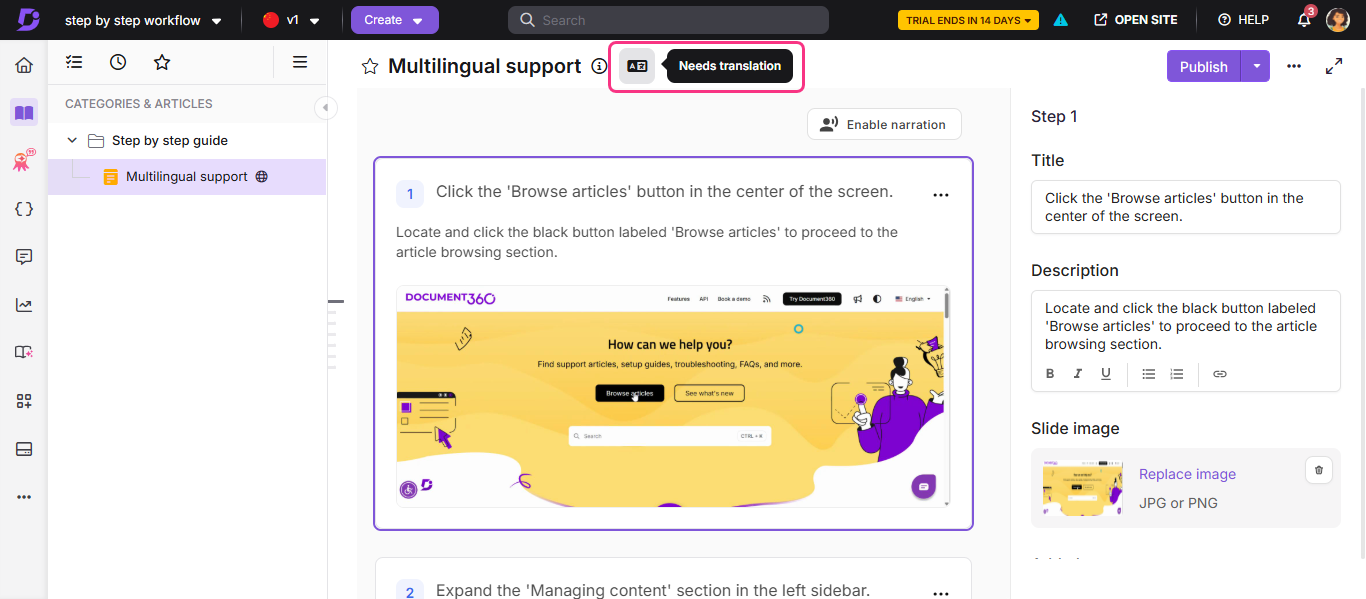
Step by step guides created with Floik now support multilingual workflows. Guides created in the default workspace language act as the source, and translations can be generated for any enabled secondary language. When the source guide is updated, translated versions are automatically marked as “Needs translation”, helping you easily track and manage updates across languages. This ensures guides remain consistent and up to date across your knowledge base.
For more information, read the article on Step by step guides.
Advanced Content Security Policy (CSP) controls for stronger portal security
Category: Security | Improvement
The Content Security Policy (CSP) configuration experience has been redesigned with a more structured interface. Policies are now organized into sections such as Code policy, Resource control, Embedding & Security, and Reporting, making them easier to manage. This update also expands directive support, including options like form-action, object-source, and worker-source, and adds reporting settings to help administrators monitor policy violations more effectively.
.png)
For more information, read the article on Content security policy.
Reliable anchor links across edits and languages
Category: Advanced WYSIWYG editor | Improvement
Anchor links to headings in your articles are now more stable across edits and multilingual versions. Each heading created in the Advanced WYSIWYG editor is automatically assigned a unique, permanent ID that remains unchanged even if the heading text is edited later. The same ID is also preserved across translated versions of the article, ensuring links consistently navigate readers to the correct section in any language.
For more information, read the article on Adding hyperlinks.
Secure widget link navigation across workspaces
Category: Widget | Improvement
JWT-enabled knowledge base widgets now validate internal links for reader group permissions on every click, ensuring users can access only the content they are authorized to view. This update also adds support for seamless link navigation across standard workspaces within the widget, creating a smoother reading experience while preserving secure access control.
For more information, read the article on Managing the knowledge base widget.
Other updates
Eddy AI search performance is further improved to intelligently break down complex queries, improve language detection, and deliver more accurate, high‑relevance results for a smoother search experience.
List formatting does not apply to headings in the editor. List formatting is restricted to regular paragraphs only, so typing a numbered prefix inside a heading no longer affects its formatting.
You can now add featured images to public articles in mixed-public workspaces. If the article is private or placed under a restricted hierarchy, the option remains disabled with a contextual message.
“Machine translate” has been renamed to “Translate with Eddy AI” across the platform to better reflect its AI-powered translation capabilities.
A new configuration option is now available in the Freshdesk integration, allowing administrators to control whether agents can create knowledge base articles directly from within the Freshdesk app.
NOTE
Minor security updates, bug fixes, and performance improvements have also been implemented across the Knowledge base portal and Knowledge base site.