--- title: "Analytics overview" slug: "analytics-overview" description: "Analyze your knowledge base performance with Document360's Analytics—track article views, reader behavior, search trends, and improve content effectively." updated: 2026-07-20T09:00:00Z published: 2026-07-20T09:00:00Z canonical: "docs.document360.com/analytics-overview" --- > ## Documentation Index > Fetch the complete documentation index at: https://docs.document360.com/llms.txt > Use this file to discover all available pages before exploring further. # Analytics overview The **Analytics** () section in Document360 gives you a complete picture of how your knowledge base is performing — from article views and reader behavior to search trends, broken links, and AI assistant usage. Use these reports to identify content gaps, improve underperforming articles, and make data-driven decisions about your documentation. --- ## What's in Analytics Analytics is organized into four report areas. Select a report below to learn more. ### Content performance
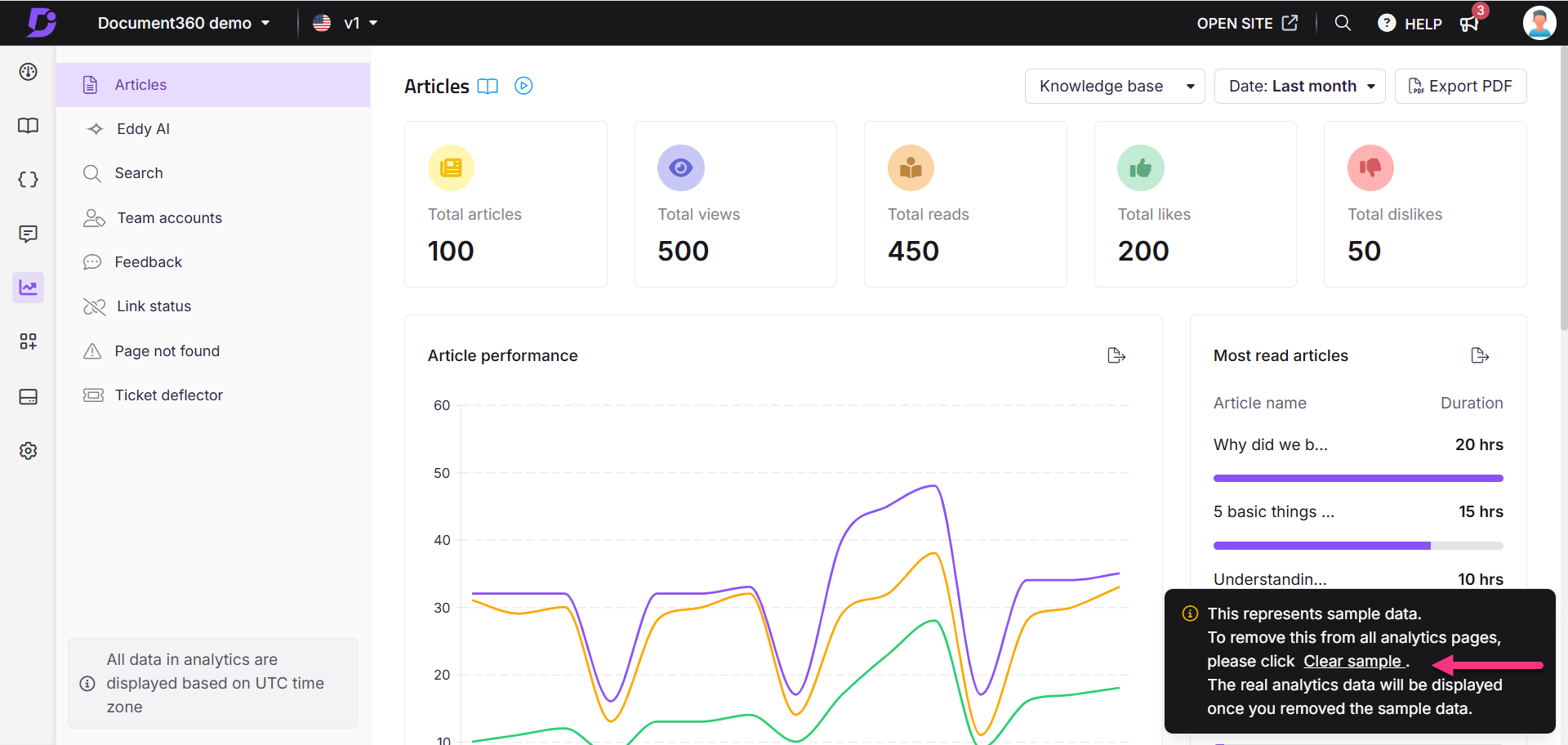
How can I clear the sample data in Analytics?
When you open the Analytics () section for the first time, sample data is displayed on each analytics page. To remove it:
The sample data is removed from your analytics view.