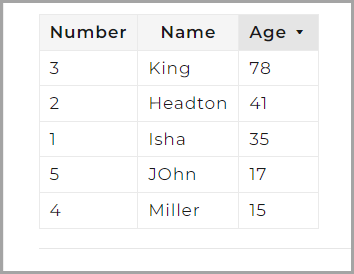
Door sorteerbare kolommen aan je tabellen toe te voegen, kunnen lezers de tabelinhoud herschikken door op een willekeurige kolomkop te klikken. Door één keer op een kop te klikken, sorteert je opstijgend (▴); opnieuw klikken sorteert dalend (▾). De implementatie vereist twee toevoegingen aan je aangepaste CSS- en JavaScript-instellingen: een CSS-fragment dat de sorteerindicatoren stylet, en een JavaScript-fragment dat de sorteerlogica verzorgt.
Wanneer sorteerbare tabellen te gebruiken
- Referentietabellen met veel rijen: sorteren stelt lezers in staat snel de vermelding te vinden die ze zoeken in plaats van de hele tabel te scannen.
- Vergelijkingstabellen: lezers kunnen sorteren op elk kenmerk (prijs, naam, beschikbaarheid van functies) om opties op hun eigen voorwaarden te vergelijken.
- Data-intensieve artikelen: sorteren vermindert de noodzaak voor lezers om een gefilterde of herschikte versie van de data aan te vragen.
Deze implementatie geldt voor alle tabellen op je Knowledge Base-site. Sorteren wordt geactiveerd doordat de lezer op een willekeurige kolomkop klikt. Het sorteerpictogram in de header geeft de huidige sorteerrichting aan — oplopend (▴) of dalend (▾).
Hoe sorteerbare kolommen aan tabellen toe te voegen
Dit vereist twee stappen: het toevoegen van de CSS voor visuele indicatoren, en vervolgens het toevoegen van de JavaScript voor de sorteerlogica.
Voeg de CSS toe
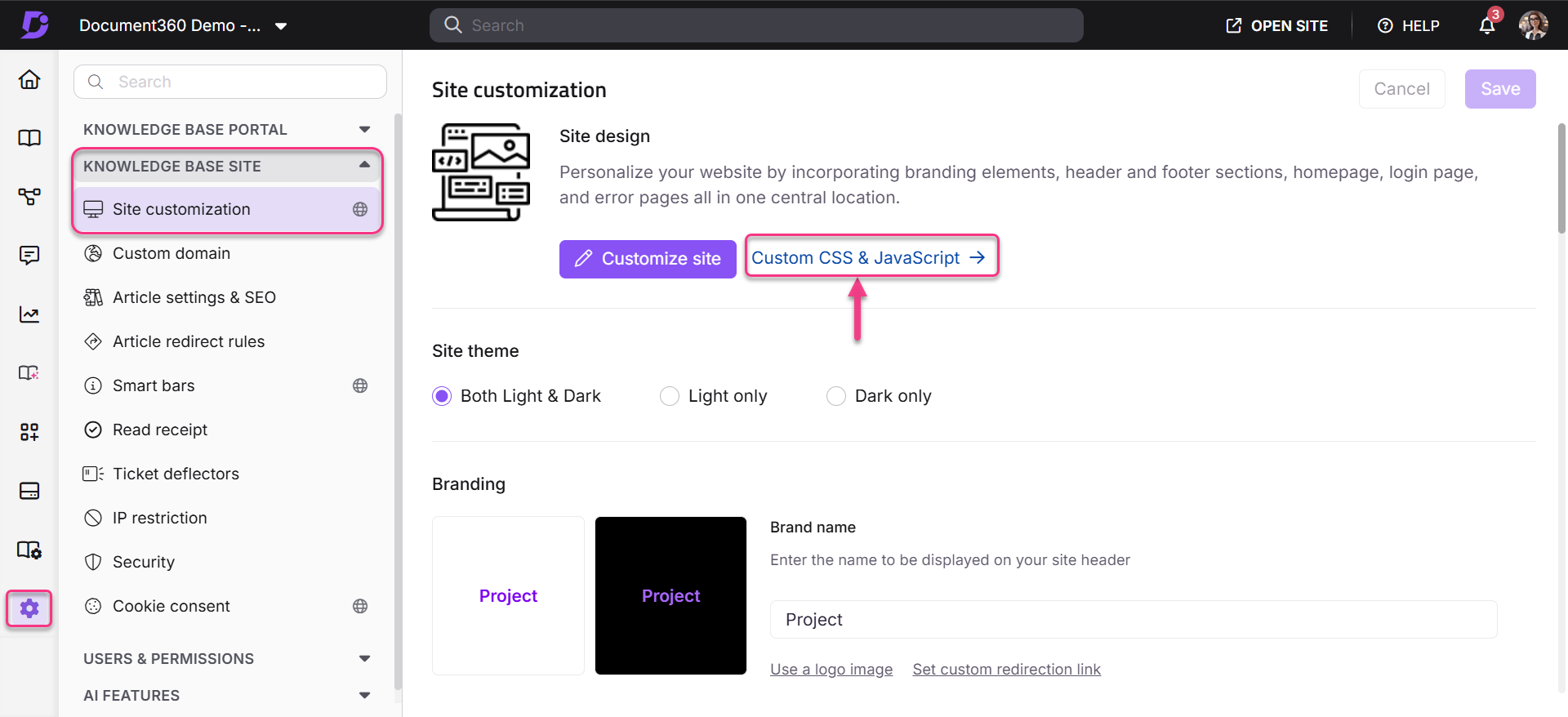
- Ga in het Knowledge Base-portaal naar Instellingen > Knowledge Base-site > Custom CSS & JavaScript.
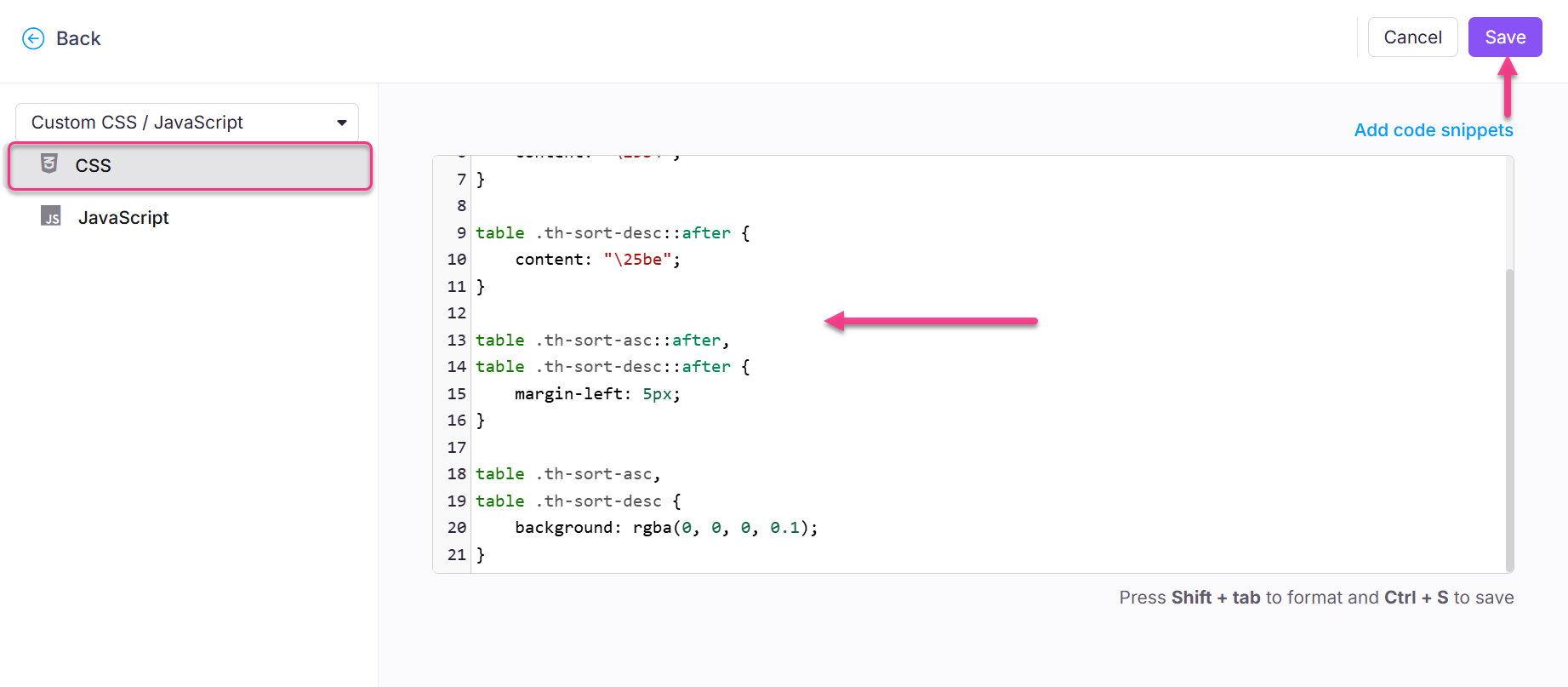
- Selecteer het CSS-tabblad en plak het volgende fragment:
table th {
    cursor: pointer;
}

table .th-sort-asc::after {
    content: "\25b4";
}

table .th-sort-desc::after {
    content: "\25be";
}

table .th-sort-asc::after,
table .th-sort-desc::after {
    margin-left: 5px;
}

table .th-sort-asc,
table .th-sort-desc {
    background: rgba(0, 0, 0, 0.1);
}
- Klik op Opslaan.
Voeg de JavaScript toe
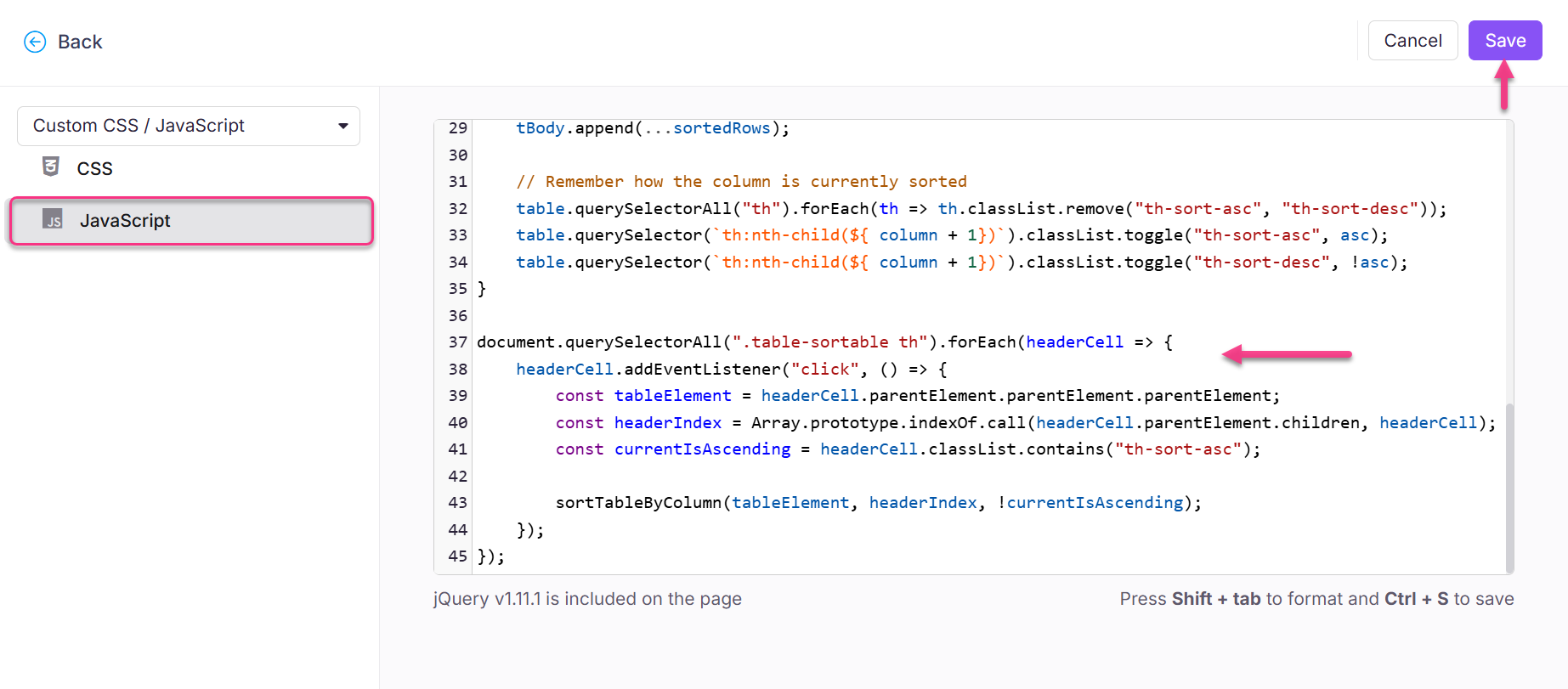
- Selecteer op dezelfde pagina met aangepaste CSS- en JavaScript-instellingen het tabblad JavaScript .
- Plak het volgende fragment:
$( "table" ).addClass("table-sortable");

/**
 * Sorts a HTML table.
 *
 * @param {HTMLTableElement} table The table to sort
 * @param {number} column The index of the column to sort
 * @param {boolean} asc Determines if the sorting will be in ascending
 */
function sortTableByColumn(table, column, asc = true) {
    const dirModifier = asc ? 1 : -1;
    const tBody = table.tBodies[0];
    const rows = Array.from(tBody.querySelectorAll("tr"));

    // Sort each row
    const sortedRows = rows.sort((a, b) => {
        const aColText = a.querySelector(`td:nth-child(${ column + 1 })`).textContent.trim();
        const bColText = b.querySelector(`td:nth-child(${ column + 1 })`).textContent.trim();

        return aColText > bColText ? (1 * dirModifier) : (-1 * dirModifier);
    });

    // Remove all existing TRs from the table
    while (tBody.firstChild) {
        tBody.removeChild(tBody.firstChild);
    }

    // Re-add the newly sorted rows
    tBody.append(...sortedRows);

    // Remember how the column is currently sorted
    table.querySelectorAll("th").forEach(th => th.classList.remove("th-sort-asc", "th-sort-desc"));
    table.querySelector(`th:nth-child(${ column + 1})`).classList.toggle("th-sort-asc", asc);
    table.querySelector(`th:nth-child(${ column + 1})`).classList.toggle("th-sort-desc", !asc);
}

document.querySelectorAll(".table-sortable th").forEach(headerCell => {
    headerCell.addEventListener("click", () => {
        const tableElement = headerCell.parentElement.parentElement.parentElement;
        const headerIndex = Array.prototype.indexOf.call(headerCell.parentElement.children, headerCell);
        const currentIsAscending = headerCell.classList.contains("th-sort-asc");

        sortTableByColumn(tableElement, headerIndex, !currentIsAscending);
    });
});
- Klik op Opslaan.
Uitkomst
Na het opslaan van beide fragmenten worden alle kolomknoppen op je Knowledge Base-site klikbaar. Door op een header te klikken, sorteert u de tabelrijen op die kolom. Een sorteerrichtingsindicator verschijnt in de actieve kolomheader.