Plans supporting this feature: Professional Business Enterprise
Tags in Document360 help you organize articles, page categories, and files in Drive. However, managing a large number of tags can get complicated. To make it easier, Document360 allows you to group related tags into Tag groups. Tag groups help you keep your tags organized and easier to manage. Within each group, you can see the tags it contains and their dependencies, making it simple to maintain a clear and organized tag library.
Creating a tag group
To create a tag group,
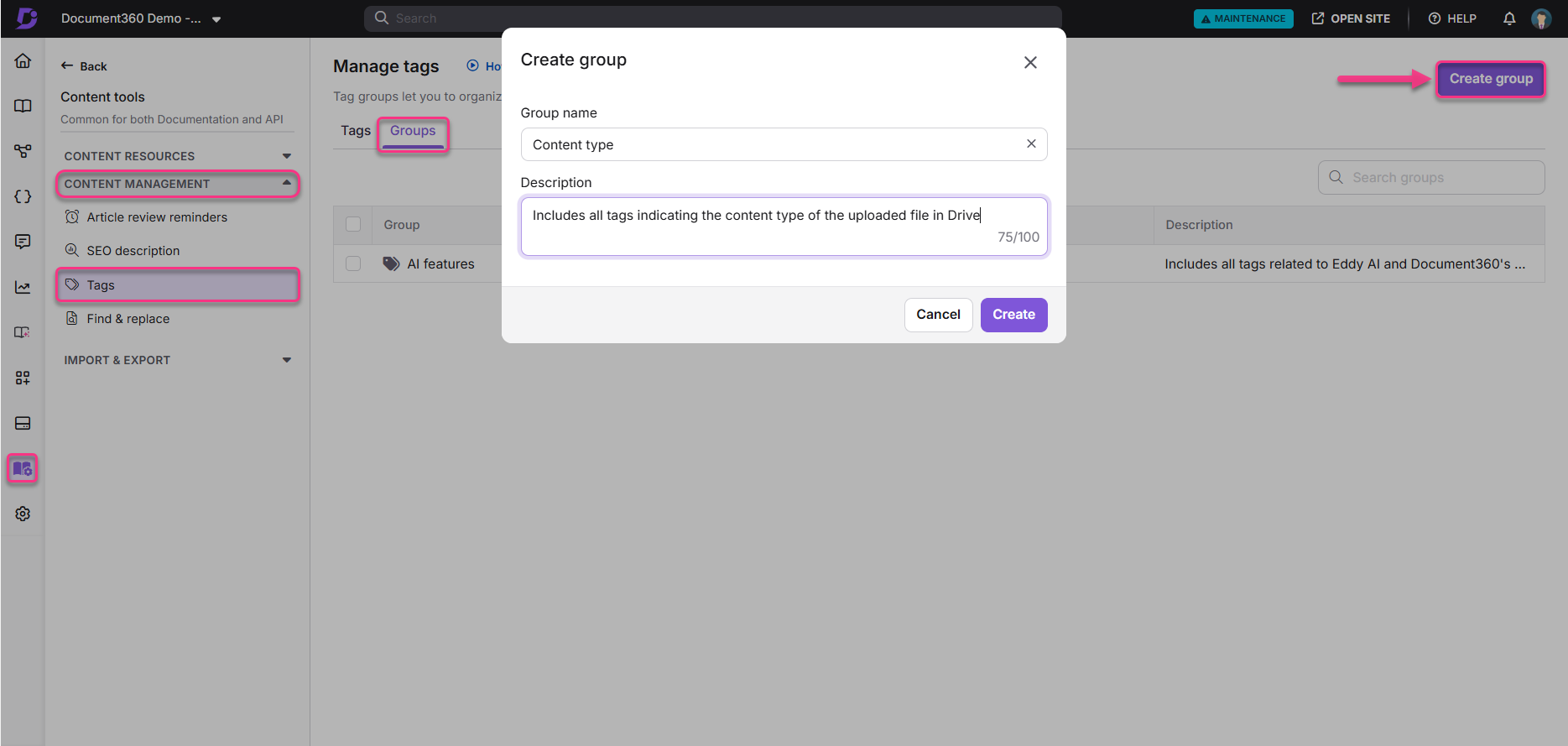
Hover on Content tools in the left navigation bar.
In the sub-menu, navigate to Content management > Tags.
Select the Groups tab. You can view the list of Tag groups if you have any.
Click on the Create group to add a new tag group.
Add the Tag group name and description, and click Create.
Adding tags to tag groups
There are two methods for adding tags to tag groups.
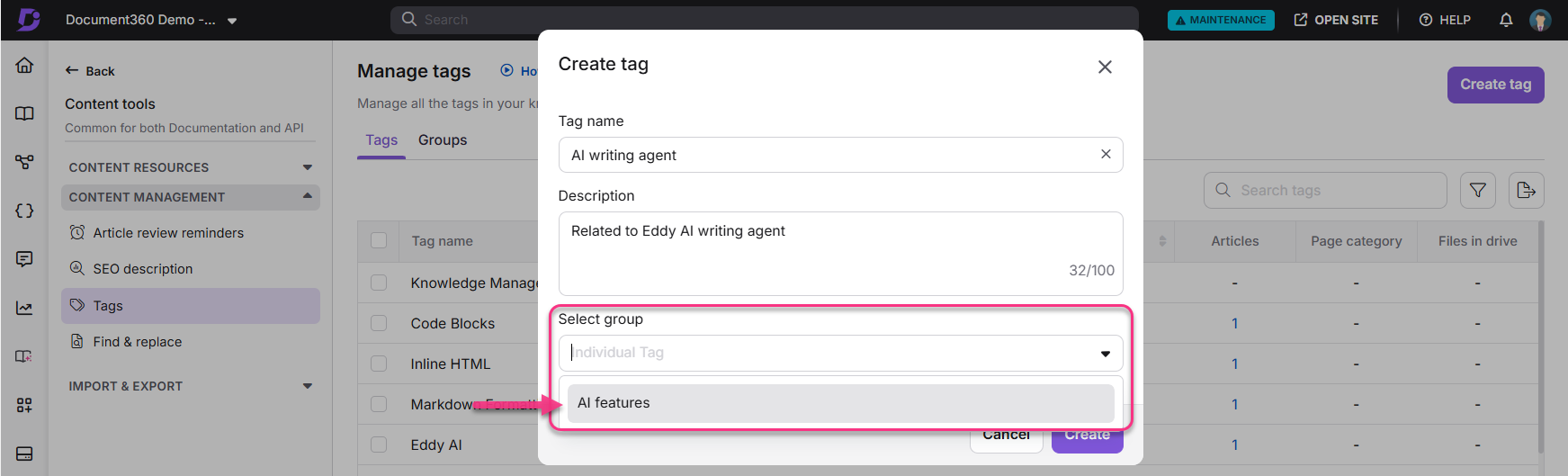
Method 1: Assign a tag to a group while creating it by selecting the desired group from the Select group dropdown.
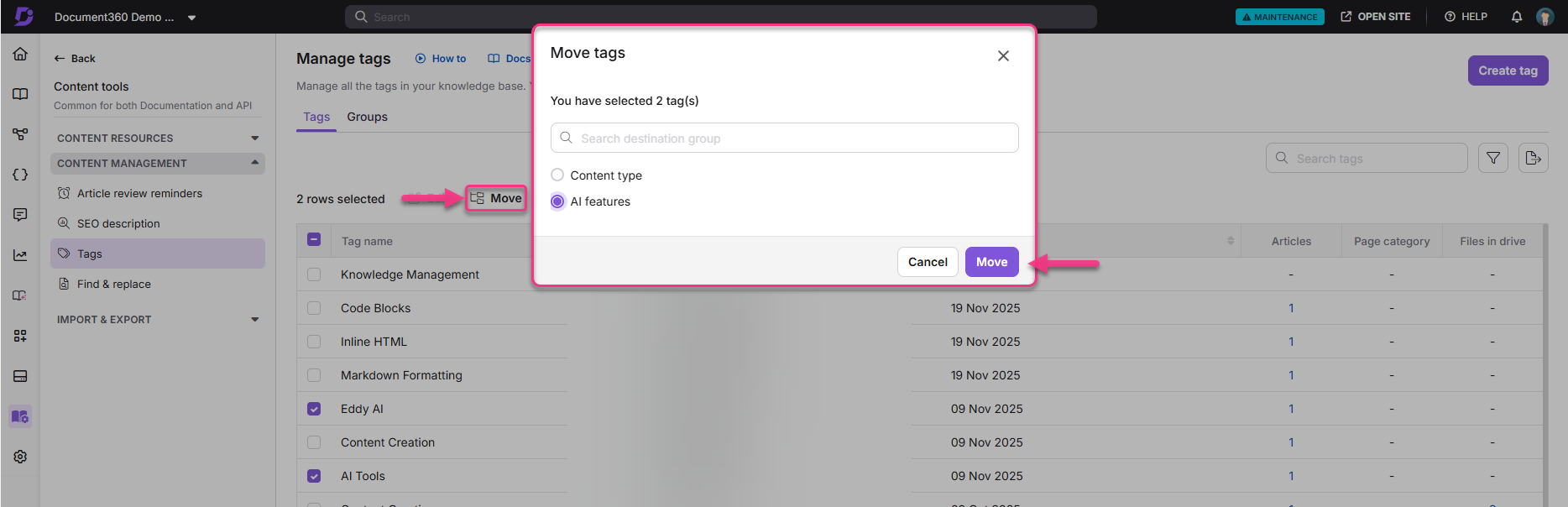
Method 2: In the tag library, select multiple tags, click Move in the toolbar, and assign them to the desired group.
Deleting tag groups
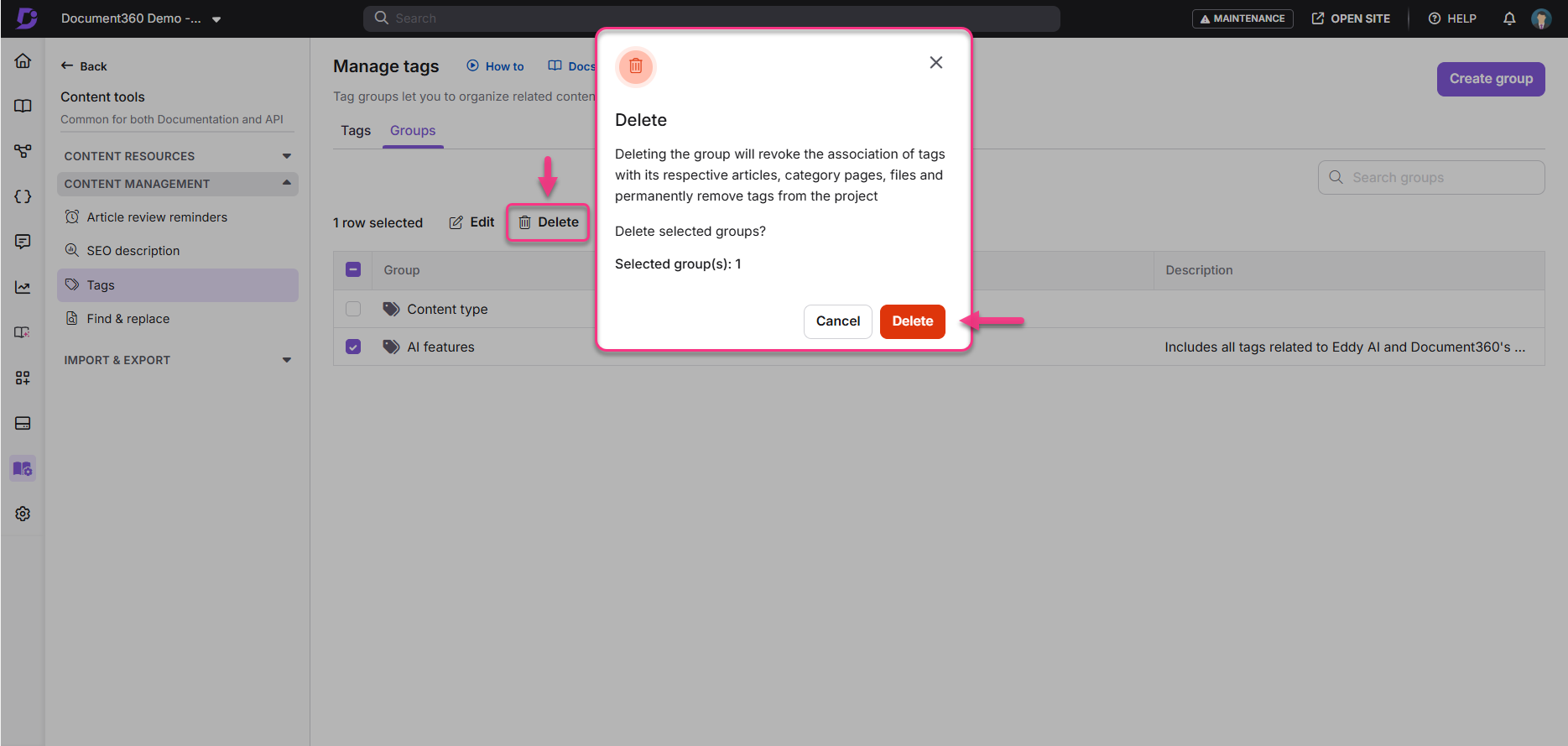
To delete a tag group, go to the Tag groups page, select the group you want to delete, and click Delete in the toolbar.
NOTE
Deleting a tag group will remove all dependencies of the tags in the group from associated articles, page categories, and files. Additionally, the tags themselves will be deleted from the project.
FAQ
Can I add tags to tag groups after creating them?
Yes, you can add tags to tag groups either while creating the group or later by selecting multiple tags in the tag library and moving them to the desired group.
What happens if I delete a tag group?
Deleting a tag group will remove all dependencies of the tags in the group from associated articles, page categories, and files, and the tags themselves will be deleted from the project.
Is it possible to add tag groups to articles?
No, tag groups cannot be added to articles. They are designed to help organize your tags and provide a way to view all articles associated with the tags in a specific tag group.