Je kunt de callout-kleur in de donkere modus veranderen. Volg de onderstaande oplossing om de calloutkleur in donkere modus te veranderen.
Oplossing
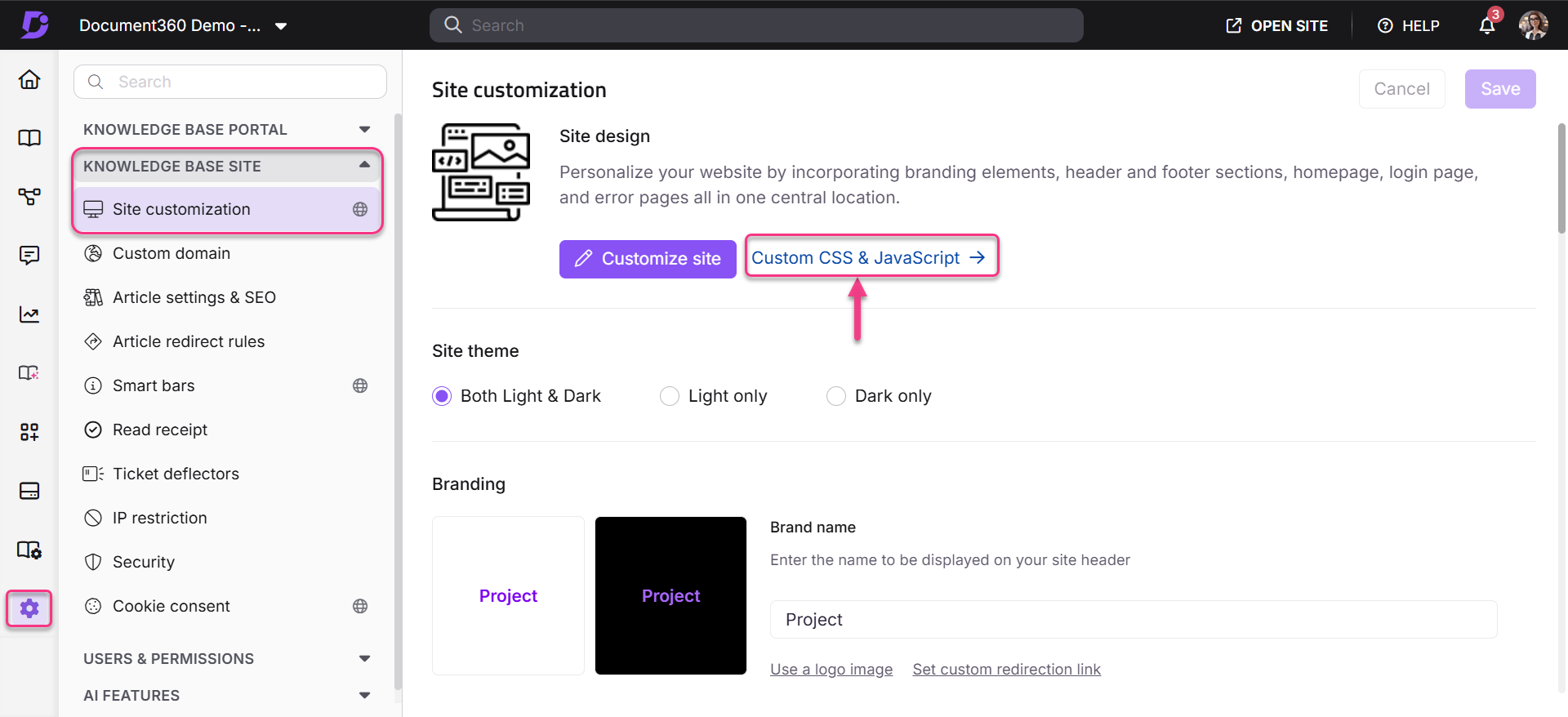
Navigeer naar Instellingen () > Kennisbanksite > Site aanpassen > Aangepaste CSS en JavaScript in de Kennisbankportal.
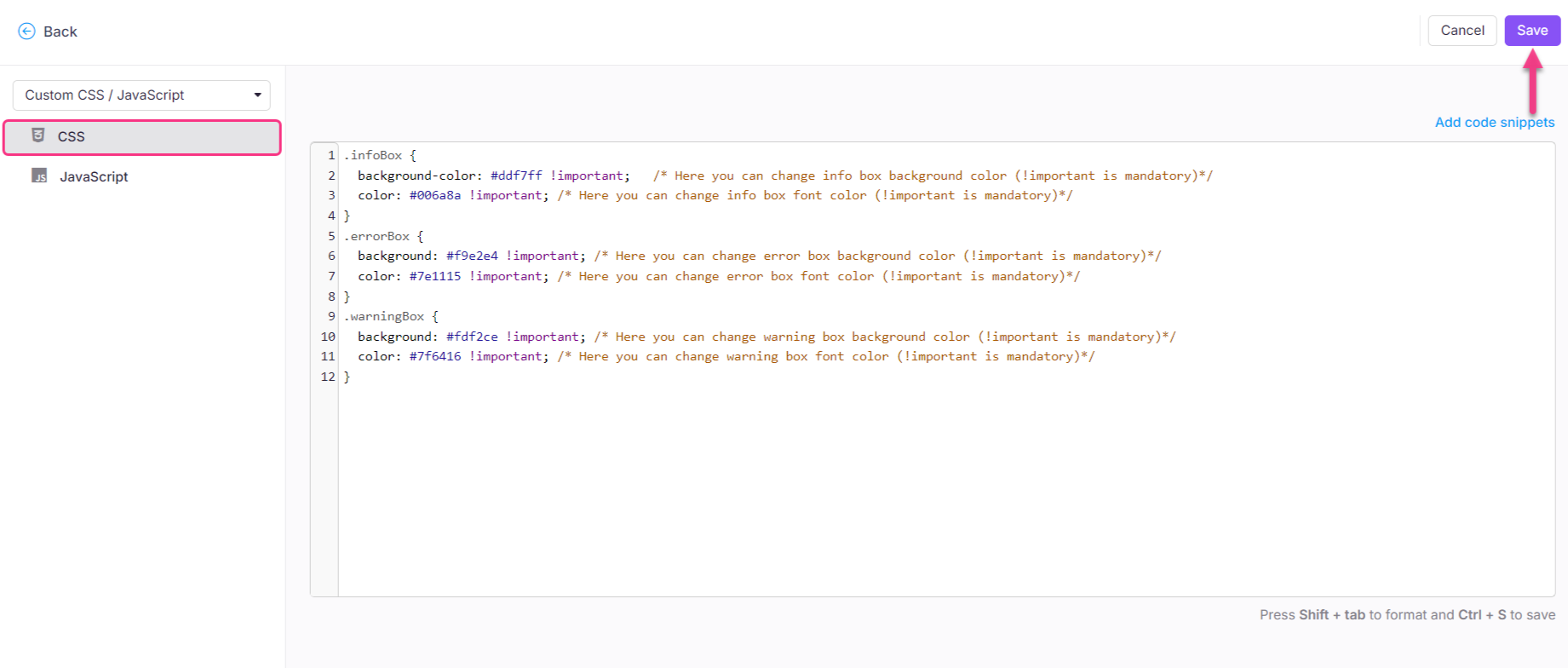
Klik vanuit het linker navigatiepaneel op het CSS-tabblad en plak het volgende CSS-fragment:
html[data-bs-theme=dark] .infoBox {
  background-color: #ddf7ff !important;   /* Here you can change info box background color (!important is mandatory)*/
  color: #006a8a !important; /* Here you can change info box font color (!important is mandatory)*/
  border-left: 4px solid #006a8a !important; /* Here you can change info box border color (!important is mandatory)*/
}
html[data-bs-theme=dark] .errorBox {
  background: #f9e2e4 !important; /* Here you can change error box background color (!important is mandatory)*/
  color: #7e1115 !important; /* Here you can change error box font color (!important is mandatory)*/
  border-left: 4px solid #7e1115 !important; /* Here you can change info box border color (!important is mandatory)*/
}
html[data-bs-theme=dark] .warningBox {
  background: #fdf2ce !important; /* Here you can change warning box background color (!important is mandatory)*/
  color: #7f6416 !important; /* Here you can change warning box font color (!important is mandatory)*/
  border-left: 4px solid #7f6416 !important; /* Here you can change info box border color (!important is mandatory)*/
}
Werk de gewenste kleur voor de oproepen aan.
OPMERKING
kleur > Tekstkleur
achtergrondkleur > Calloutbox-kleur
Klik op Opslaan.