Subfolder hosting lets you serve your Document360 Knowledge base site from a path under your main domain, such as example.com/docs, instead of a separate subdomain like docs.example.com. A subfolder (or subdirectory) appears after the root domain in a URL and helps structure content logically under your existing site. Hosting documentation in a subfolder rather than a subdomain is generally better for search engine optimization, since search engines treat subfolder content as part of your main domain's authority. Subfolder hosting can be enabled for both Document360-provided domains and mapped custom domains.
When to use subfolder hosting
Use subfolder hosting when you want your documentation to live under your existing website domain rather than a separate subdomain.
- You want your knowledge base to benefit from your main domain's SEO authority instead of building authority separately on a subdomain.
- Your brand or marketing guidelines require all customer-facing content under a single root domain.
- You want a URL like
example.com/helpinstead ofhelp.example.com.
Before you begin
Subfolder hosting is currently supported only for public Knowledge base projects. For private or mixed-access projects, readers are redirected to the Document360 identity login page for authentication, which can't be proxied through a customer's server. As a result, subfolder hosting can't be used for projects that require sign-in.
You'll also need access to your web server's configuration (Nginx, Apache, IIS, or ASP.NET Core) to proxy requests to Document360, since subfolder hosting requires server-side configuration outside of Document360 itself.
How to enable subfolder hosting
- Navigate to Settings > Knowledge base site in the left navigation bar of the Knowledge base portal.
- Navigate to Custom domain.
- On the Custom domain page, navigate to the Subfolder hosting tab. By default, the Subfolder path is set to /docs.
- Turn on the toggle next to Knowledge base is hosted as a subfolder.
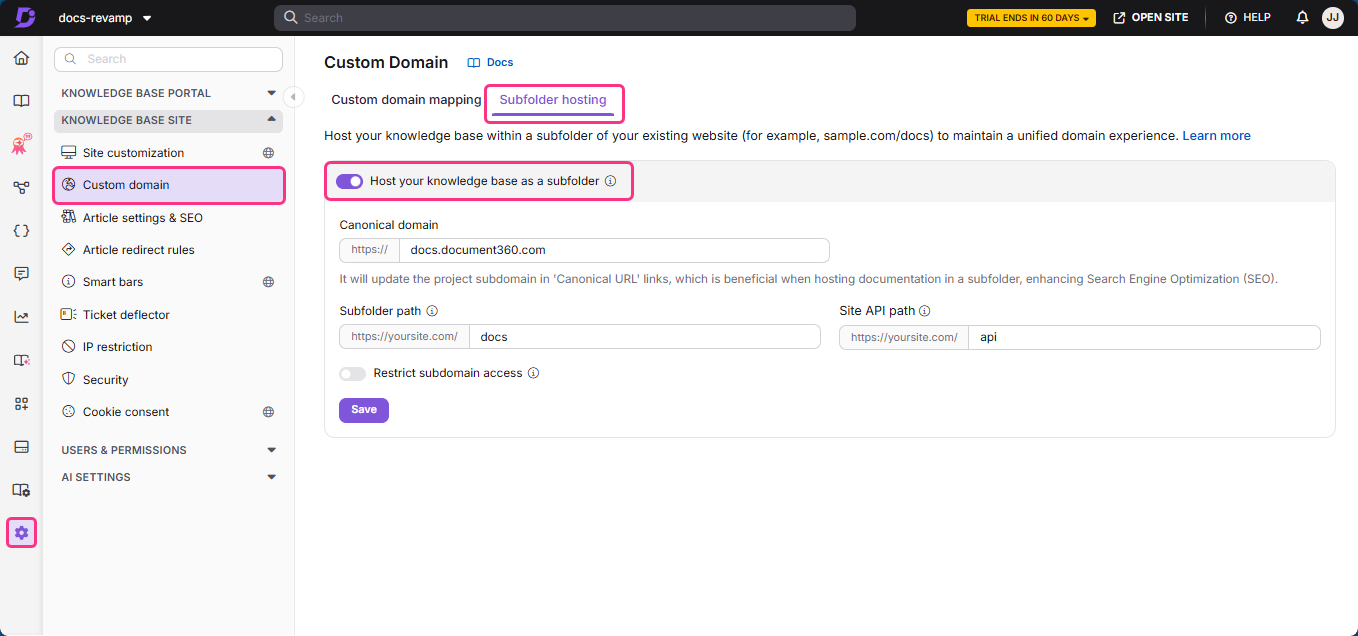
When this toggle is on, the public preview of articles becomes visible, and the workspace slug is no longer inserted automatically when you add links in articles.
Subfolder hosting is now enabled for your project.
How to set a custom subfolder path
You can host your knowledge base on a subfolder path other than /docs, such as /help or /support.
- Navigate to Settings > Knowledge base site in the left navigation bar of the Knowledge base portal.
- Navigate to Custom domain.
- On the Custom domain page, navigate to the Subfolder hosting tab.
- Clear the Subfolder path field and enter your custom path, for example
/help. - Click Update.
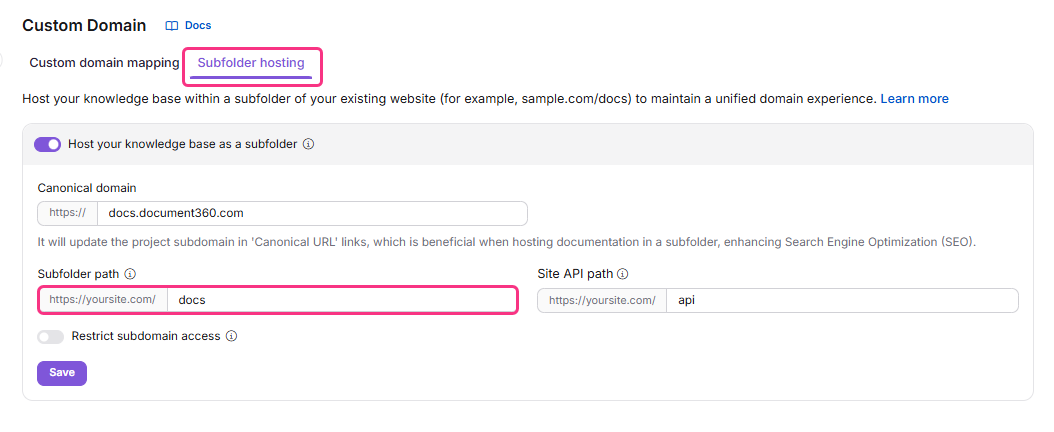
When setting up a path other than the default, also account for the languages associated with each workspace in your project; server configuration for this varies by web server. Your custom subfolder only takes effect once subfolder hosting is enabled, and your server must be configured to proxy requests for this path — see the platform-specific server articles for guidance.
For projects configured with a custom domain and subfolder hosting, the Article preview option isn't supported yet.
How to set a custom Site API path
By default, the Site API path is set to /api. You can customize this from the same Subfolder hosting tab — for example, to /docs-api or /api-docs, if /api is already used by another application on your domain.
- Navigate to Settings > Knowledge base site in the left navigation bar of the Knowledge base portal.
- Navigate to Custom domain.
- On the Custom domain page, navigate to the Subfolder hosting tab. By default, the Site API path is set to /api.
- Clear the Site API path field and enter your custom path, for example
/docs-api. - Click Update.
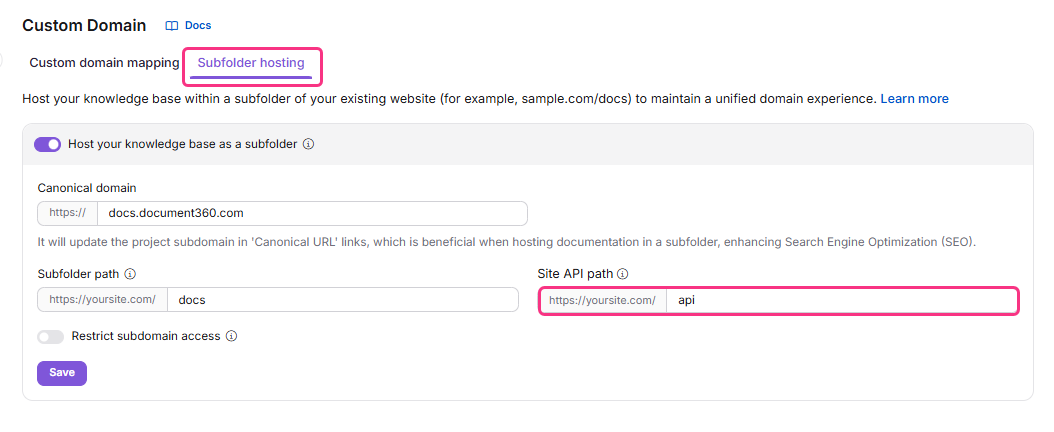
After setting the Site API path, configure a matching location block on your web server, and ensure the value you enter here exactly matches the path in your server's reverse proxy setup. Refer to the platform-specific server guide for examples:
Subfolder hosting works only when both the Subfolder path and the Site API path are defined. The Custom Site API path is not the same as the path for API Documentation.
What happens next
Once your web server is configured, your Knowledge base site is live on your custom subfolder. However, the existing Document360 URL continues to serve requests as well — for example, both example.document360.io and example.com/docs will point to your Knowledge base site. This causes duplicate content in search engines like Google and Bing.
To prevent duplicate content, enable the Restrict subdomain access toggle under Settings > Knowledge base site > Custom domain > Subfolder hosting. Make sure a canonical domain is configured before enabling this toggle — once enabled, your Document360 subdomain automatically redirects to your canonical domain.
Common web servers
| Web server | Notes |
|---|---|
| Apache HTTP server | See the Apache HTTP server article. |
| Nginx server | See the Nginx server article. |
| ASP.NET Core server | See the ASP.NET Core server article. |
| Microsoft IIS server | See the Microsoft IIS server article. |
| OpenResty server | Configuration follows the same proxy principles as Nginx. |
| LiteSpeed server | Configuration follows the same proxy principles as Apache or Nginx. |
| Cloudflare server | Often used alongside another origin server for DNS and proxying. |
A web server stores and delivers website content — text, images, video, and application data — to clients that request it, most commonly a web browser.
Best practices
- Define both the Subfolder path and the Site API path together; subfolder hosting won't function correctly if only one is set.
- Use a path other than
/apifor your Site API path if your domain already serves another application at/api, and keep the portal setting and server configuration in sync. - Enable Restrict subdomain access only after your canonical domain is fully configured, to avoid redirect issues.
- Test your subfolder configuration on a staging path before applying it to your production domain.
FAQ
What is a canonical URL?
A canonical URL is the official link that tells search engines which version of a page to index when multiple URLs lead to the same content, such as https://example.com/page and https://example.com/page?utm=123. Setting one as canonical prevents duplicate content issues and ensures the preferred URL ranks properly.
How can I configure the canonical URL in Document360?
Use the Canonical domain setting to globally replace the project subdomain with your specified domain across all articles. Navigate to {{variable.Settings}} > {{variable.Knowledge base site}} > {{variable.Custom domain}} > {{variable.Subfolder hosting}}, locate the Canonical domain option, enter your desired domain, and click Save.