Document360 version 12.10.2 is now live, making it easier to review article changes, capture meaningful reader feedback, and manage interactive guides and videos. This release also gives you greater control over link behavior in knowledge base widgets, simplifies localization with a centralized Document360 Engage dashboard, and introduces several usability improvements.
Features and enhancements
Summarize version changes with Eddy AI
Category: Article management | Feature
Reviewing an updated article often means scanning every highlighted change in version history, which can be slow for long articles or drafts with many edits. Eddy AI can now summarize the changes between article versions in plain language.
The new Summarize changes option in version history generates a summary of how the current draft differs from the latest published version. The Compare with option helps you generate a summary for any two versions of the same article. Reviewers get a quick overview of what was added, removed, or rewritten before going through the detailed highlights, making content reviews and approvals faster.
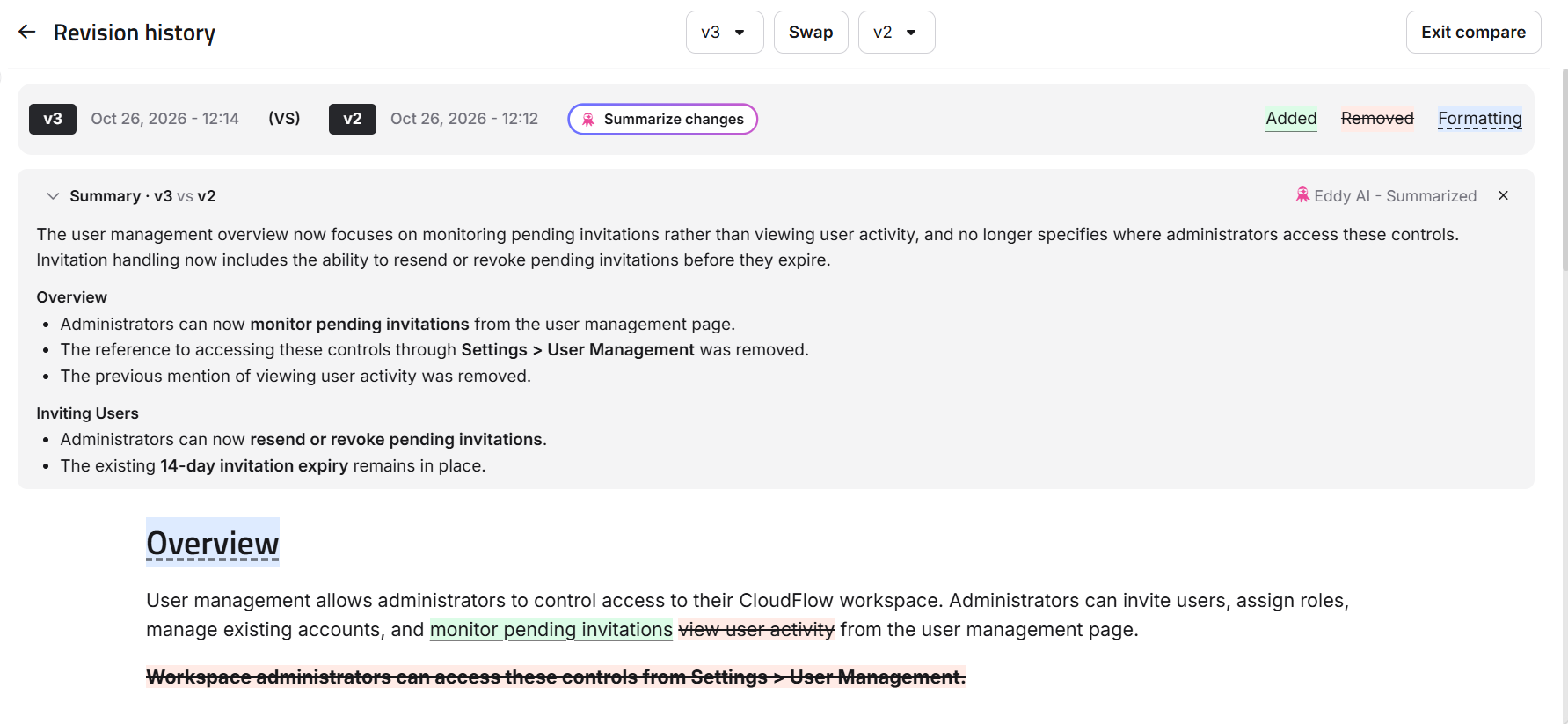
For more information, read the article on Revision history.
Customize article feedback options
Category: Article Feedback | Enhancement
Previously, readers could only select from a fixed set of options when sharing feedback on your Knowledge base articles. This may not capture the issues that matter most to your team, making it harder to understand why readers find an article unhelpful. You can now customize and reorder the five default feedback options on the dedicated Feedback form page, with a live preview to see your changes.
A consent note now appears as a tooltip above the email field on the feedback form, explaining how readers’ email addresses are used. Optionally, you can customize the note and include a link to your privacy policy.
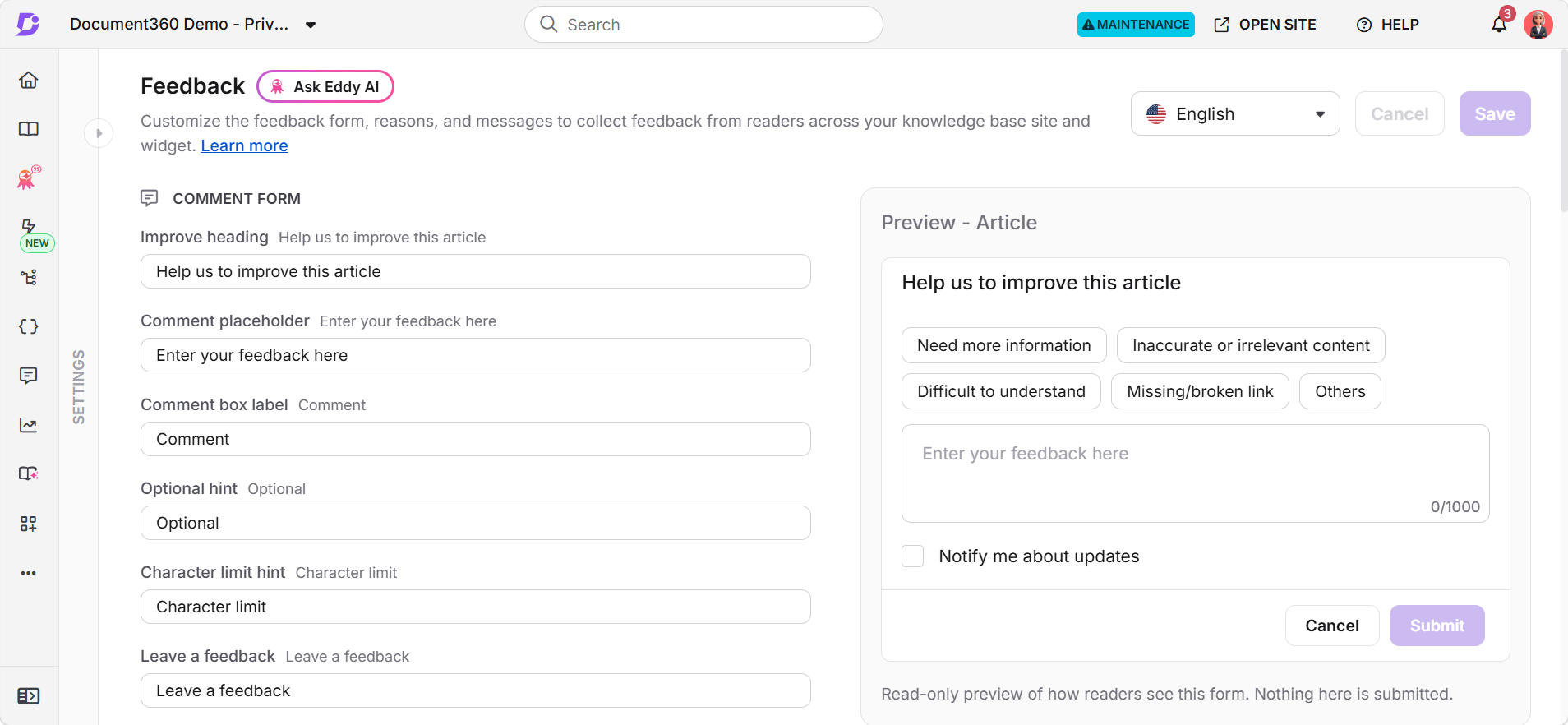
For more information, read the article on Configuring feedback form.
More control over how article links open in widget
Category: Widget | Enhancement
Unexpected link behavior can disrupt readers' browsing experience. Previously, how article links opened in the Knowledge base widget depended on the content access settings, which could lead to navigation issues. You can now control how links open in each Knowledge base widget using two new settings.
The Honor open links in a new tab setting preserves the link behavior configured in the editor, opening links in a new browser tab when accessed through the widget. The Open external links in a new tab setting opens links that use full URLs in a new browser tab. Both settings are off by default and can be configured independently for each widget.
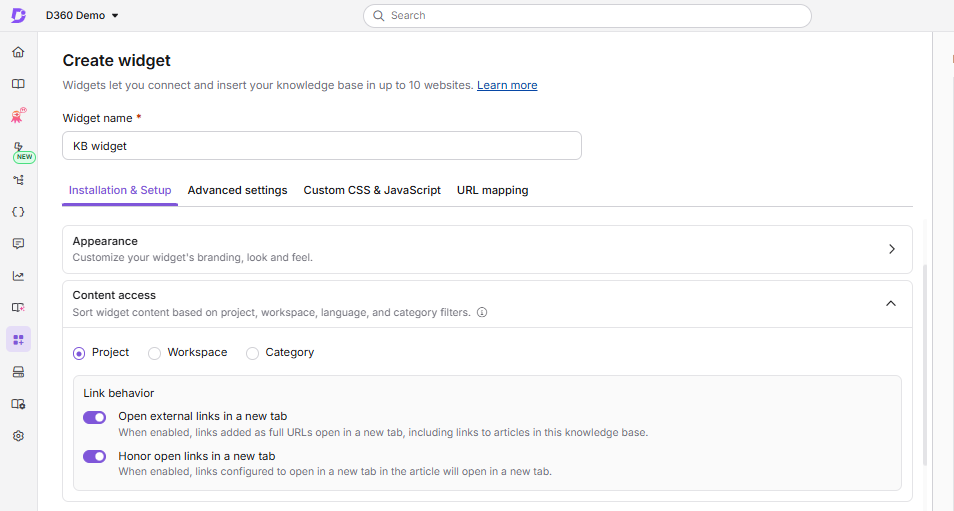
For more information, read the article on Content access in the knowledge base widget.
Centralized dashboard for managing and localizing guides and videos
Category: Document360 Engage | Enhancement
Previously, Step by step guides, Interactive videos, and Explainer videos were managed through individual articles, with no centralized dashboard to view and manage these assets. The new Document360 Engage dashboard brings all three asset types into one place, allowing you to filter them by metadata and track their usage across articles.
You can reuse these assets across multiple articles, and changes are automatically reflected in every article that uses them. You can also create and publish multilingual versions of all three asset types from a single project. Interactive videos (formerly Interactive demos) and Explainer videos (formerly Record videos) support localized text, subtitles, calls to action (CTAs), hotspots, and AI-generated voiceovers for each language. You can review credit costs and your remaining balance before translating.
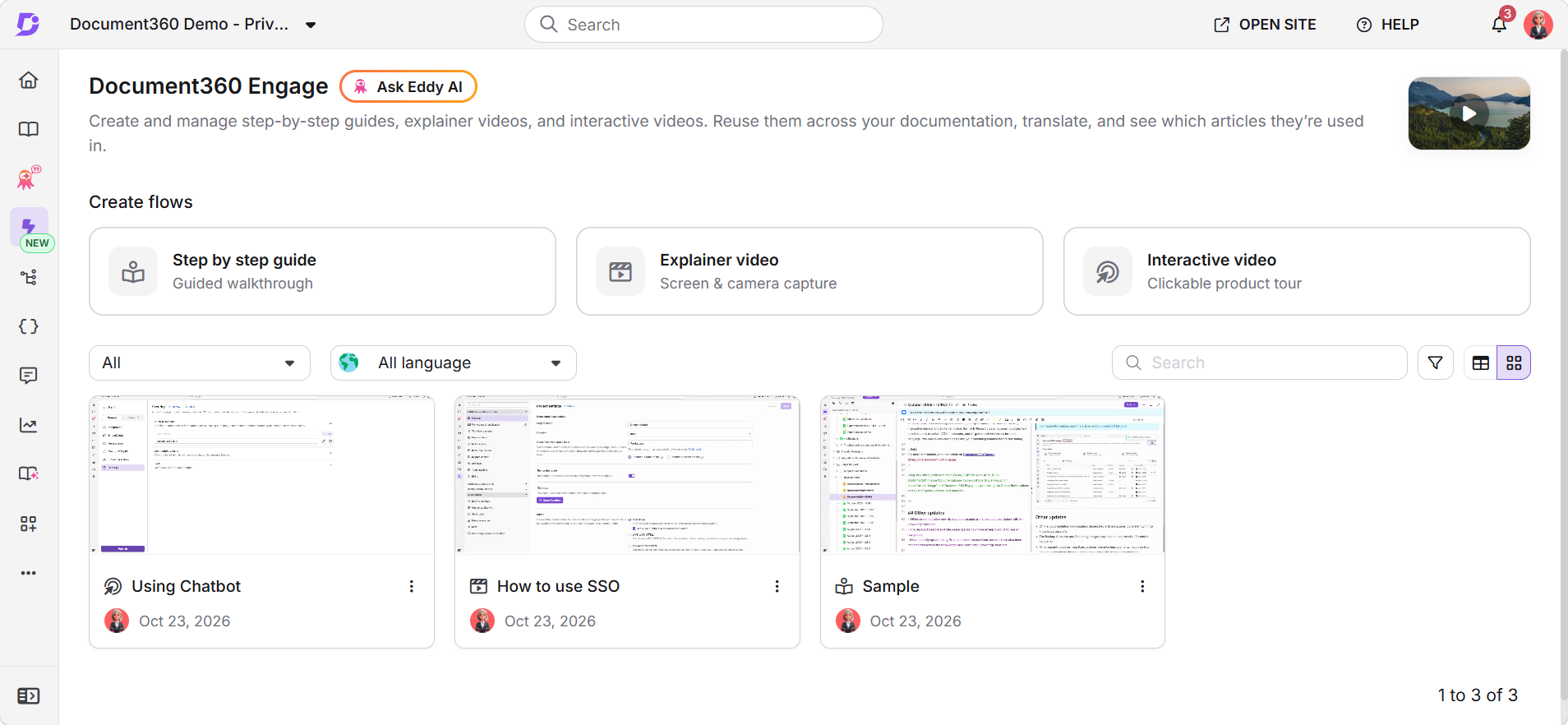
For more information, read the article on Document360 Engage.
Other updates
- Offline documentation now displays deprecated article statuses, consistent with the knowledge base site.
- The Backup & restore and Site design pages now have an improved UI for easier navigation.
- Minor security updates, bug fixes, and performance improvements have also been implemented across the Knowledge base portal and Knowledge base site.