Document360 version 12.11.2 is now live! This release introduces improved visibility into PDF export activity, and greater control over project-wide link sharing and security settings.
We've also enhanced the Advanced WYSIWYG editor with more flexible table layouts and caption support for embedded media, making everyday editing smoother and more intuitive. Additionally, bulk IP restriction imports simplify security management, while several usability and performance improvements make the overall experience better.
Features and enhancements
Understand PDF export usage with PDF export analytics
Category: Analytics | Feature
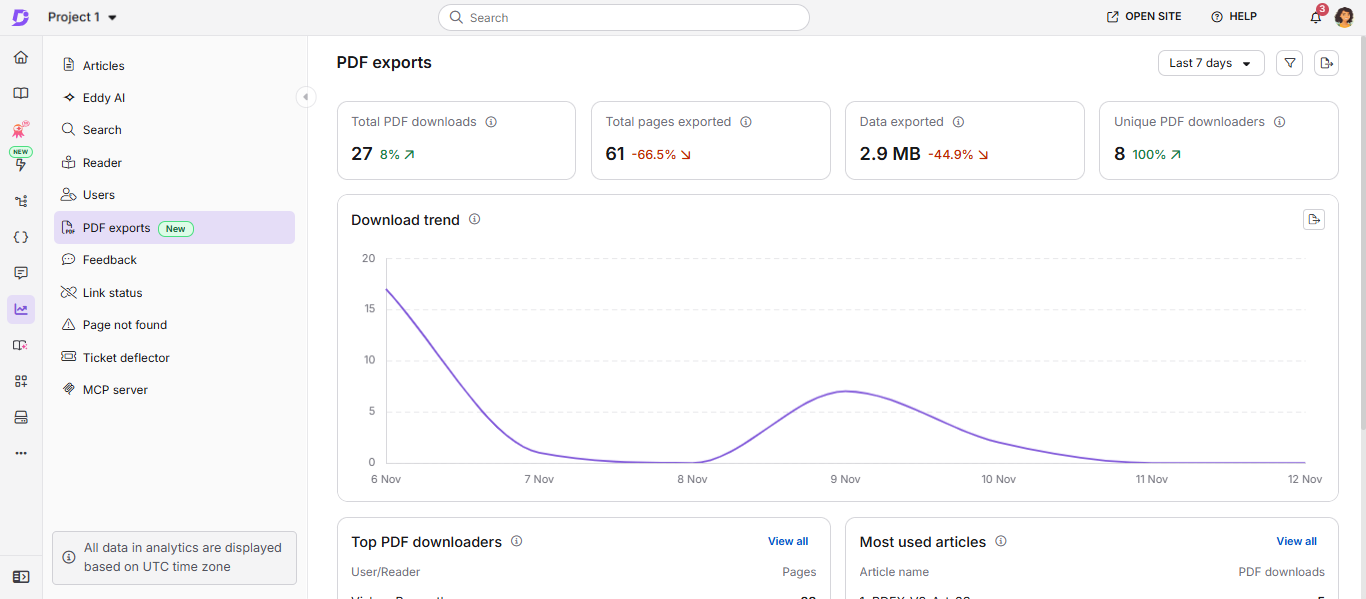
Previously, the Knowledge base portal did not provide visibility into PDF download activity, making it difficult to track which articles were exported, how frequently they were downloaded, who downloaded them, and how much of the monthly export allowance was used or remained. The new PDF exports analytics page provides this information regarding downloads from both the Knowledge base portal and Knowledge base site.
View total PDF downloads, total pages exported, data exported, and unique PDF downloaders for a selected date range. You can also filter downloads by source (Knowledge base portal or site), explore daily activity in the download trend chart, and view top PDF downloaders and most exported articles. You can also see who downloaded a specific article or which articles a reader downloaded.
For more information, read the article on PDF export analytics.
Import IP restrictions in bulk
Category: Security | Enhancement
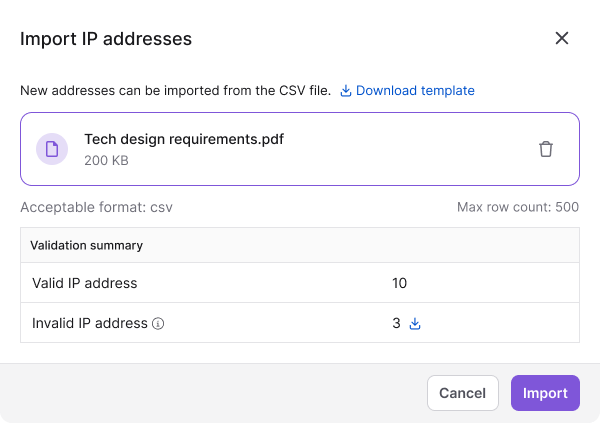
Managing multiple IP restrictions previously required adding each address or range individually. You can now import up to 500 IP addresses or ranges at once using a CSV file, with options to specify whether each entry should be allowed or blocked.
After import, a validation summary shows the number of valid and invalid entries. You can also download invalid entries with their failure reasons. Duplicate or incomplete entries are flagged as invalid, while valid entries are imported even if some entries fail validation.
For more information, read IP restriction.
Manage share links across your project
Category: Shareable link | Enhancement
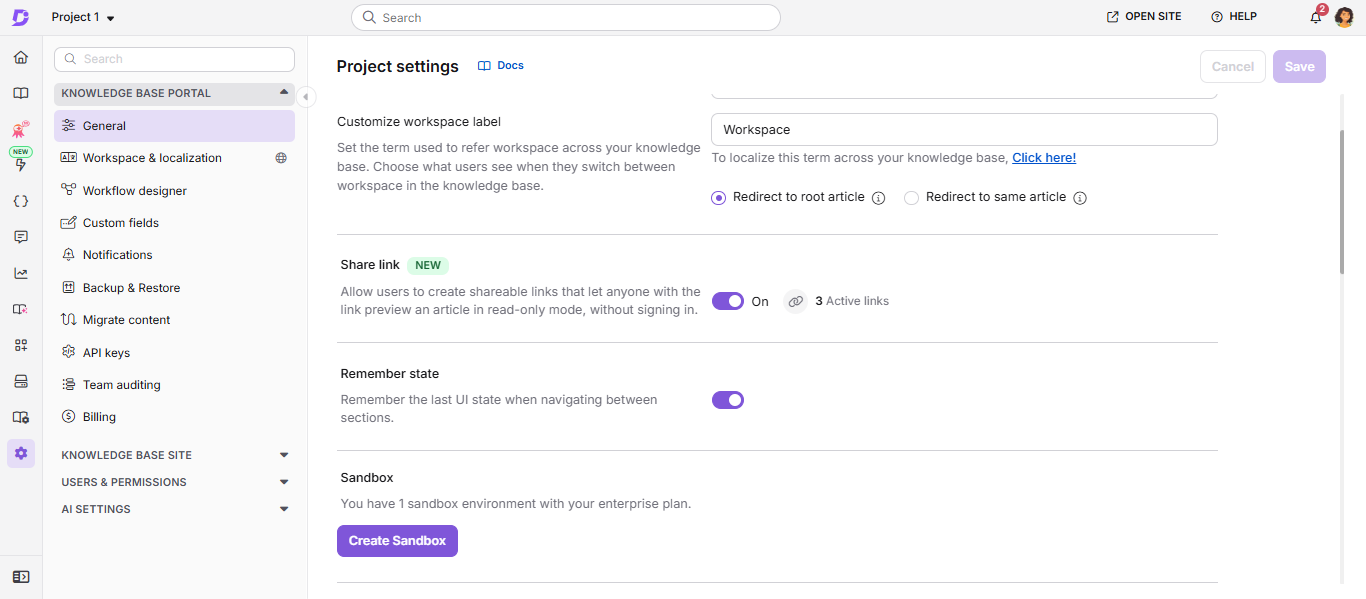
Previously, private link sharing could only be restricted through custom content role permissions. Owners and admins can now control private link sharing for the entire project using the new Share links setting is available under the project's General settings. It is enabled by default and displays the number of active links.
When you turn off the setting, all active shared links stop working immediately and are permanently revoked. They cannot be restored, even if you turn the setting back on. When link sharing is enabled, existing roles and permissions continue to determine who can create them.
For more information, read Share articles via private link.
Other updates
- You can now add a caption below videos, embedded iframes, PDF previews and interactive videos in the Advanced WYSIWYG editor, just like you can with images.
- New tables inserted in the Advanced WYSIWYG editor now automatically span the full page width, with evenly distributed columns. The Fit table to page width option can be turned off to retain fixed column widths.
- Minor security updates, bug fixes, and performance improvements have also been implemented across the Knowledge base portal and Knowledge base site.