Document360 version 12.9.2 is now live, bringing more flexibility to content management and a cleaner, more focused experience for your readers. This release introduces article archiving, private link expiry, PDF export credit visibility, a refreshed article header, and expanded MCP capabilities, giving you greater control over how content is created, managed, shared, and accessed.
Keep your knowledge base clean with archiving
Category: Article management | Feature
Declutter your knowledge base by archiving outdated or no-longer-needed articles and categories instead of deleting or hiding them. Archived items are removed from the knowledge base and excluded from portal and site search, Eddy AI responses, and related article recommendations, while its revision history, tags, and SEO settings remain intact.
The new Archive page makes it easy to find, filter, and restore items while preserving their previous status, with archive and unarchive actions also available across key content management areas and through the API.
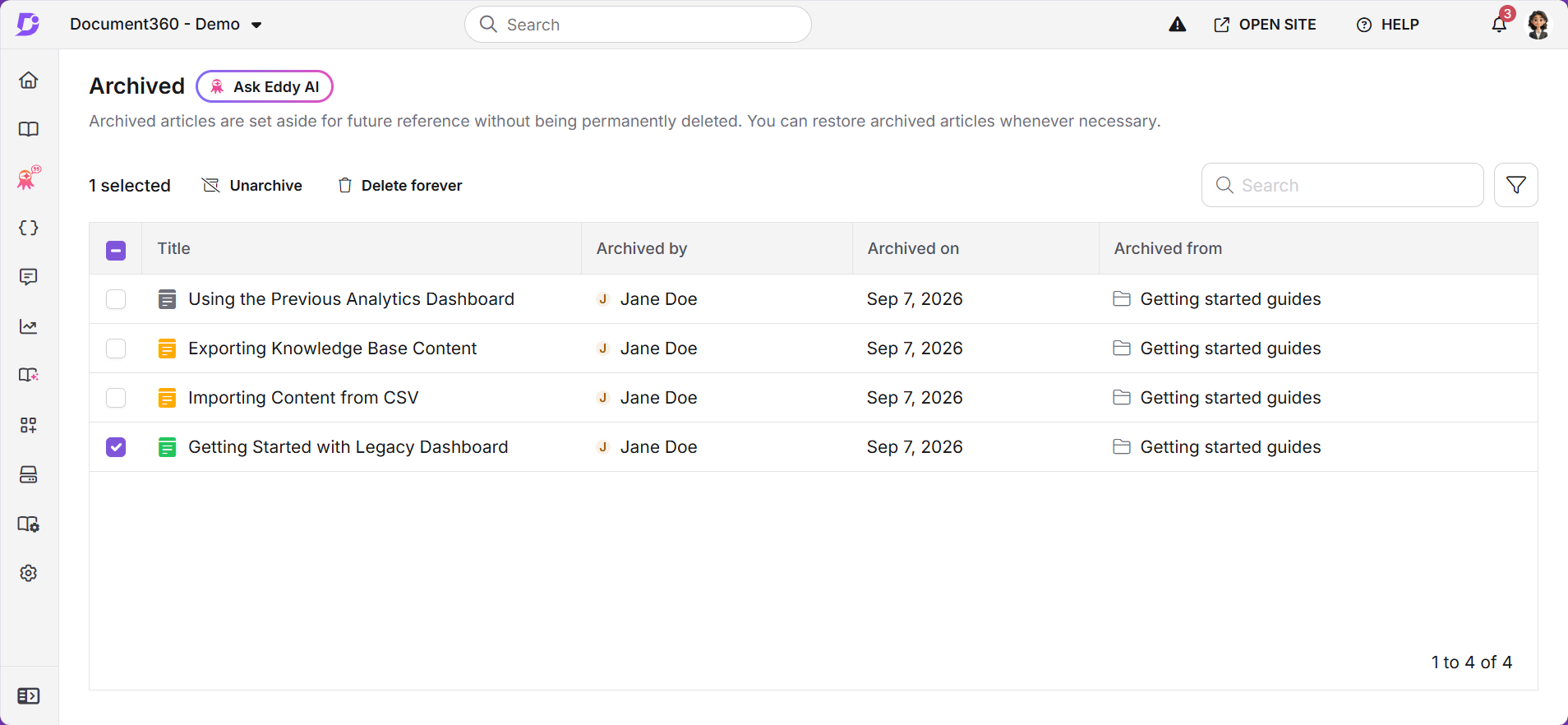
For more information, read the article on Archive articles.
More control over private links
Category: Shareable link | Enhancement
Private links make it easy to share drafts, but without expiry controls and visibility into active links, managing shared content can be difficult. You can now set an expiry date for private links to prevent drafts from remaining accessible indefinitely. Links still default to Never expires, and you can change the expiry setting anytime without changing the URL.
Managing shared links is easier now. The new Shared link filter in All articles shows all content with active links, their expiry status, and a one-click Copy link option. You can also stop sharing multiple links in bulk. With the new Share link permission, you can let users share content externally without giving them access to edit article settings. Delete link is now called Stop sharing. You’ll be asked to confirm before the link is revoked.
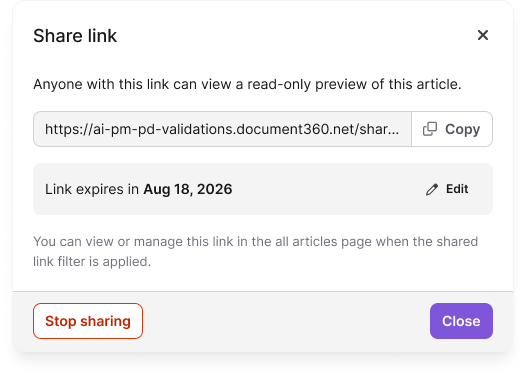
For more information, read the article on Share articles via private link.
New MCP tools to assist your workflows
Finding exact content across a large knowledge base can be time-consuming, especially when searching for specific terms, code snippets, variables, snippets, or glossary terms. Document360 MCP now supports two new tools: full-text search (document360-mcp-find-text) and article listing (document360-mcp-list-documents).
These tools let you find literal matches across categories and versions, with optional regex support. You can also scope results to a specific category or your entire knowledge base and retrieve article details in a structured format.
For more information, read the article on Supported MCP tools.
PDF export usage credit allowance
Category: PDF export | Enhancement
PDF export now runs on a monthly usage credit allowance, giving you clear visibility into your consumption. The new monthly credit-based model measures usage by exported pages rather than the previous daily file-size limit in MB, with one credit representing one exported page. A live usage widget on the Export articles page shows how much of the monthly credit allowance has been used and how much remains, with visual indicators as you approach the limit.
Owners can request additional usage directly from the Export articles page. Once the limit is reached, Owners can also choose whether to hide the export option entirely or keep it visible with an explanatory message on the Knowledge base site.
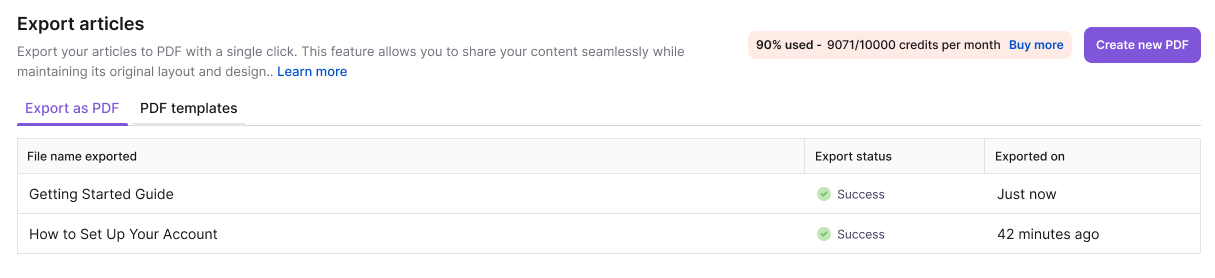
For more information, read Export articles as PDF.
A new article header with sleek layout, flexible feedback, and focus mode
Category: KB Site | Feature
Your knowledge base now gives readers a cleaner, more focused reading experience with a sleek layout and a compact article header that gives more space to content. New projects now use the sleek header by default. It will soon be available as a new header theme for existing projects.
You can choose where the Article feedback form appears, in the header, at the bottom of the article, or not at all. Focus mode hides navigation and other page elements for distraction-free reading across articles, page categories, and API documentation.
The sleek layout also brings a more streamlined toolbar, independently collapsible navigation and side panels, and an updated Article info popover with key article details.
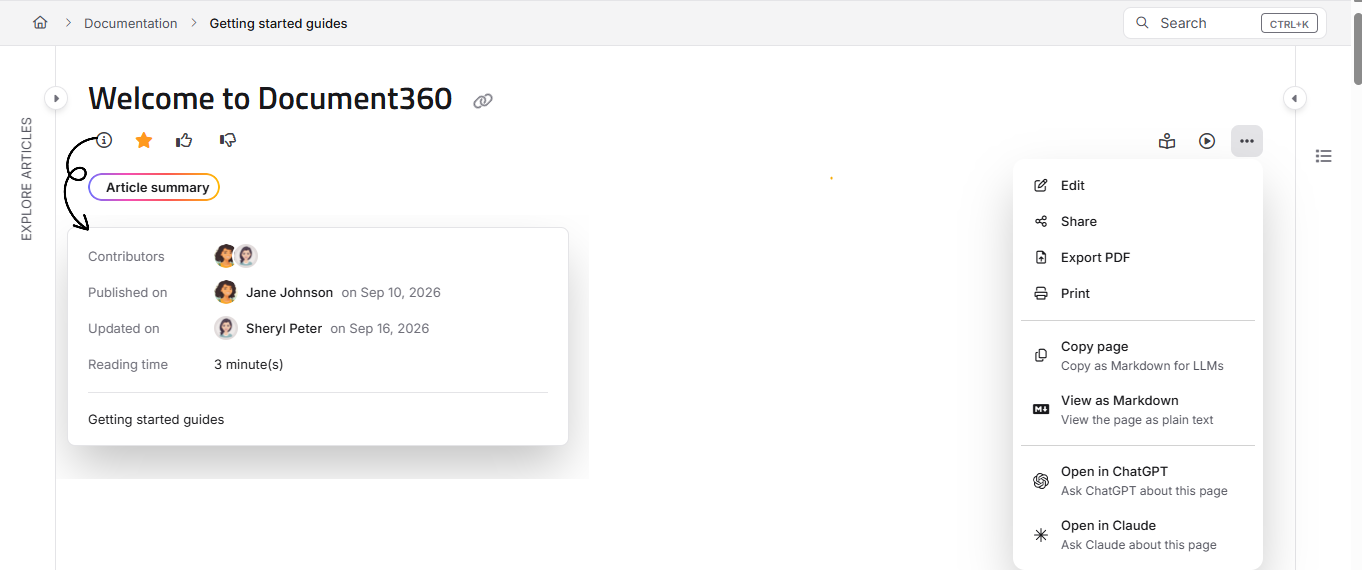
For more information, read the article on Article settings.
Other updates
- All filters across the portal have been redesigned with a cleaner, more compact layout and streamlined controls for an improved filtering experience.
- Made minor UI improvements to the Manage sources page under AI settings.
- Minor security updates, bug fixes, and performance improvements have also been implemented across the Knowledge base portal and Knowledge base site.