Document360 v12.6.1 is now live, bringing powerful new capabilities and meaningful improvements across your documentation experience. This release introduces native Mermaid diagram support in the Advanced WYSIWYG editor, automatic llms.txt generation for AI agent discoverability, and richer formatting in API documentation. Alongside these, improvements to the editor experience, custom fields multilingual support, analytics privacy, PDF export version history, and Drive folder routing help teams build more organized, compliant, and reader-friendly documentation. This release also includes security enhancements, a new conditional content filter in All Articles, and several Knowledge base site usability improvements.
Features and enhancements
Mermaid diagrams - now built into your editor
Category: Advanced WYSIWYG editor | Feature
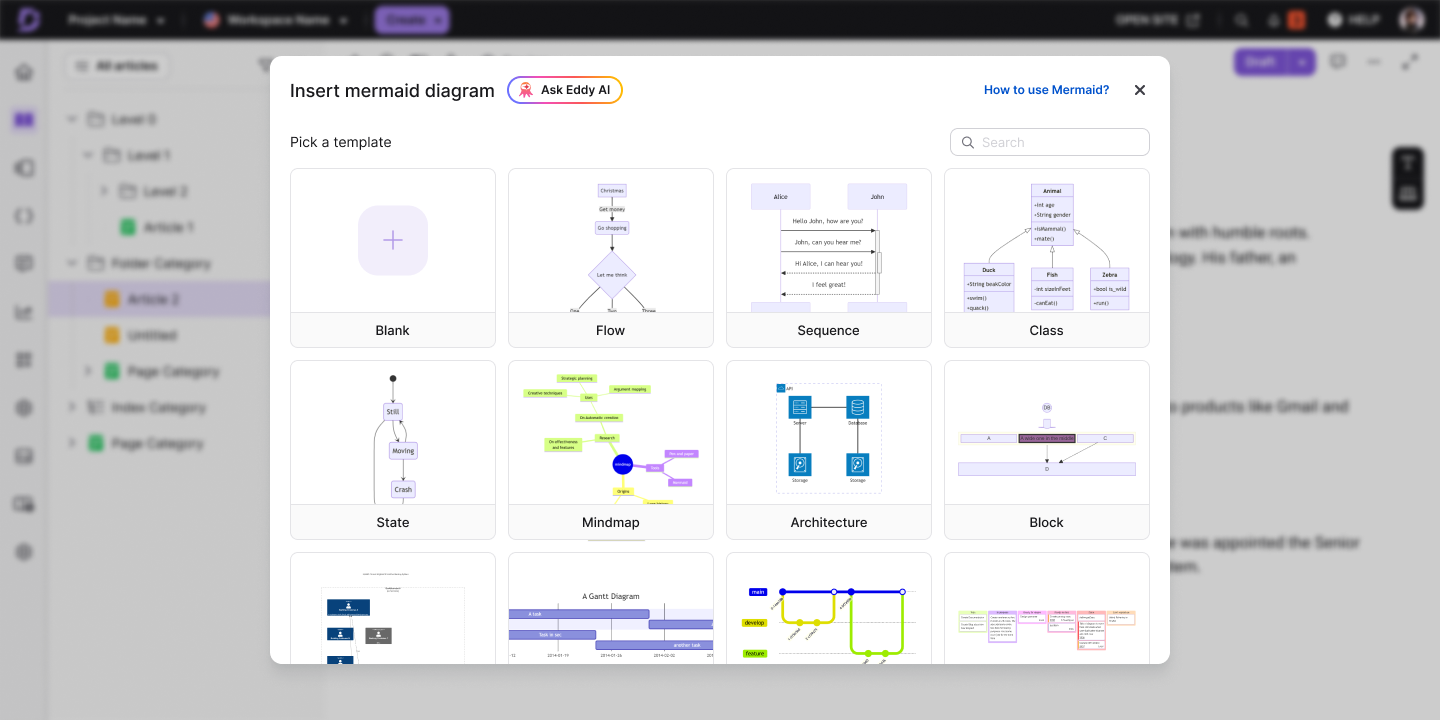
Have you ever built a diagram in an external tool, embedded it as a static image, and then watched it go stale the moment your process changed? Mermaid diagram support is now built into the Advanced WYSIWYG editor, letting you create, edit, and manage flowcharts, sequence diagrams, class diagrams, and more, directly within your articles without switching tools. Choose from 23 pre-built templates or start from a blank canvas, write your syntax in the split-pane editor with a live preview, and insert the diagram straight into your content.
Diagrams are rendered as images for consistent performance, while the underlying syntax is always preserved so they remain editable whenever your content changes. Diagrams can also be downloaded as PNG or SVG whenever you need them outside the knowledge base.
For more information, read the article on Mermaid diagrams.
Your docs, easily accessible to AI agents with llms.txt
Category: Content management | Enhancement
Imagine a SaaS company launching a new feature and wanting AI agents & assistants to point users to their own help docs from day one. Document360 now automatically generates an llms.txt file for your knowledge base - a clean, structured Markdown file placed at the root of your site that tells AI agents like ChatGPT, Claude, Gemini, and Copilot exactly what your documentation covers, so they retrieve and cite your articles accurately instead of guessing or pulling from outdated third-party sources.
%20-%20category%20settings.png)
For more information, read the article on Llms.txt.
Editor improvements for smoother writing experience
Category: Editor | Enhancement
Your editing experience gets a handful of focused updates this release.
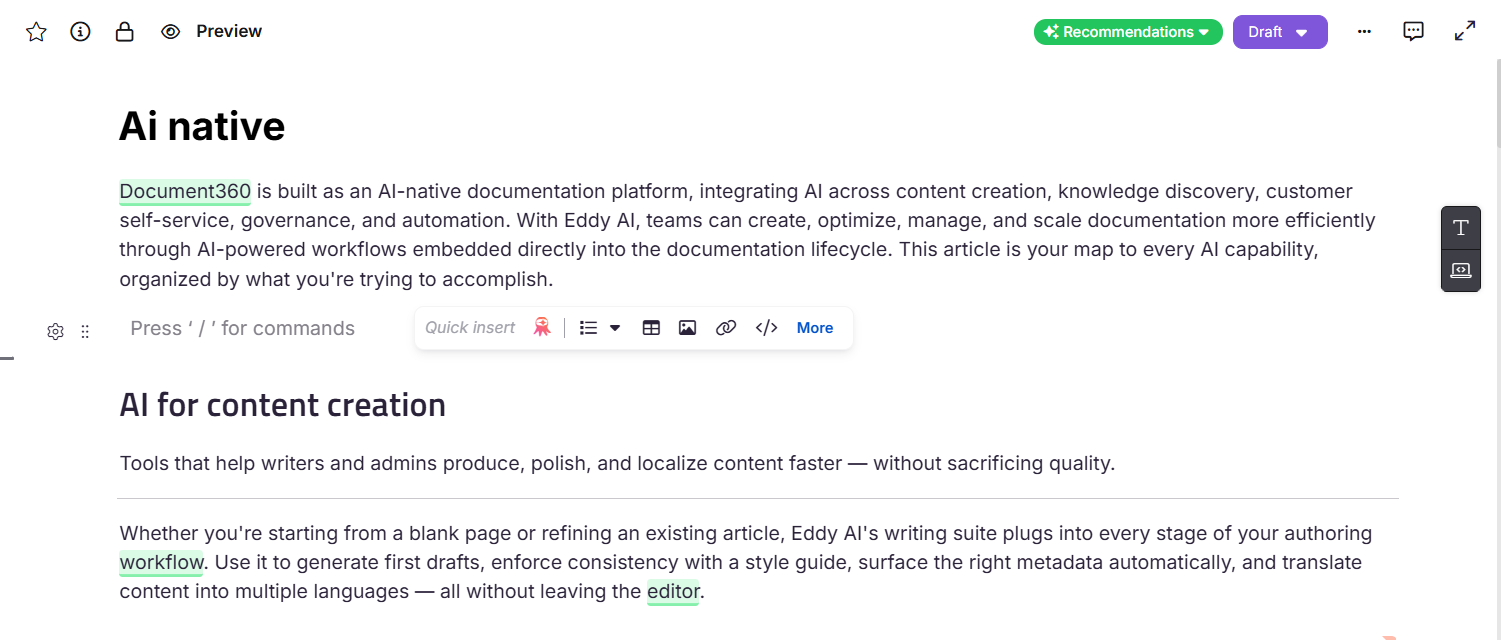
- The Quick insert toolbar has moved to the right so it no longer overlaps your content while you work.
- Converting content from the WYSIWYG editor to the Advanced WYSIWYG editor now handles a wider range of HTML tags without triggering "Block contains unsupported HTML tags" errors.
For more information, read the article on Editor elements.
Analytics privacy mode - keep reader data private
Category: Analytics | Enhancement
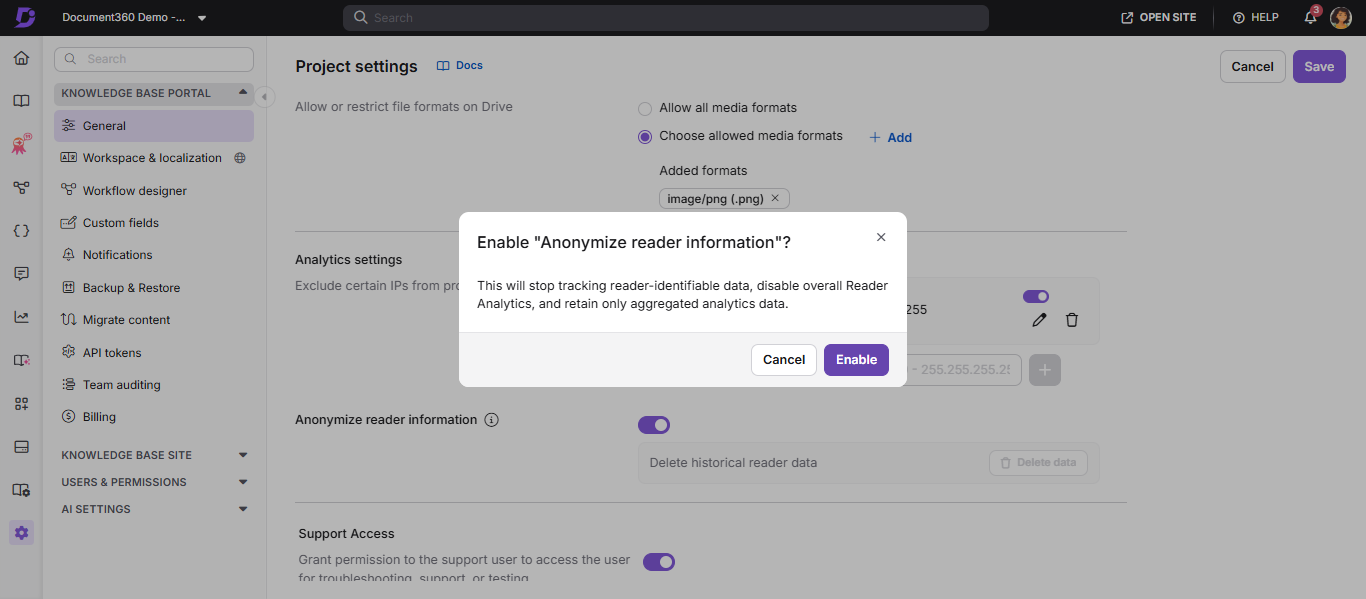
A new Anonymize reader information toggle is now available for private projects, letting Project Owners and Admins disable reader-identifiable tracking entirely. Once enabled, data such as name, email, and user ID is no longer stored or displayed, analytics sections show reader information as anonymous, the Reader Analytics module is completely hidden, and reader-identifiable fields are excluded from exports.
Previously collected data is hidden from the UI when the toggle is on, but not deleted. If a permanent cleanup is needed, the Delete historical reader data button allows a one-time, irreversible deletion of all stored reader data.
For more information, read the article on General project settings.
Multilingual Support for Custom Fields
Category: Custom Fields | Enhancement
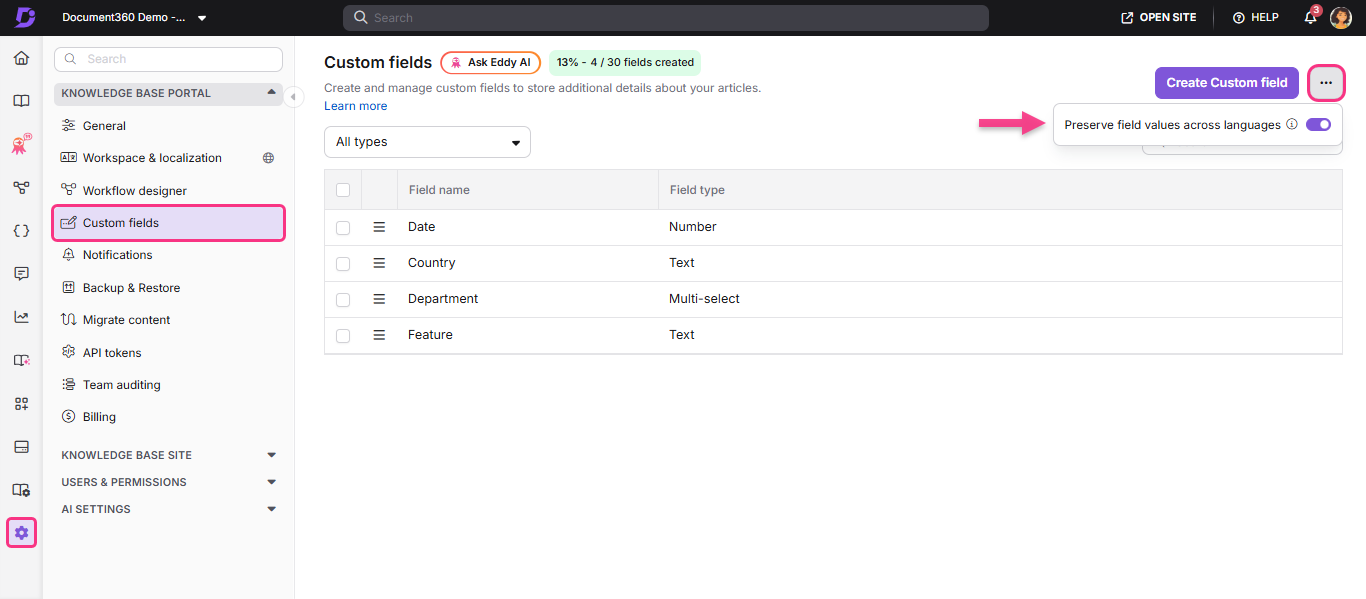
Managing a multilingual knowledge base means keeping content consistent across languages, and that now extends to custom fields. Custom field values set on the default language are automatically carried over to all other language versions. Values are copied from the default language only and remain fully editable per language, giving translators and local authors the flexibility to adjust them as needed.
For more information, read the article on Custom fields.
Richer formatting now available in API documentation
Category: API Documentation | Enhancement
Ever tried formatting API documentation descriptions the same way you format regular articles, only to find yourself working around a stripped-down text field? That changes now. The API documentation editor includes a mini Advanced WYSIWYG editor, bringing familiar rich-text formatting and slash commands directly into your API reference descriptions.
.png)
For more information, read the article on API documentation.
Improved drive folder routing
Category: Drive | Enhancement
If you've uploaded a file through the Advanced WYSIWYG editor and found it buried in the Images folder despite having a Drive folder configured, that gap is now closed. Files uploaded via the editor now correctly follow your configured Drive folder mapping, so your content always lands where you expect it to. Even without a folder mapping in place, files are automatically routed by file type, with PDFs, presentations, Word documents, and more each going to their own dedicated folder.
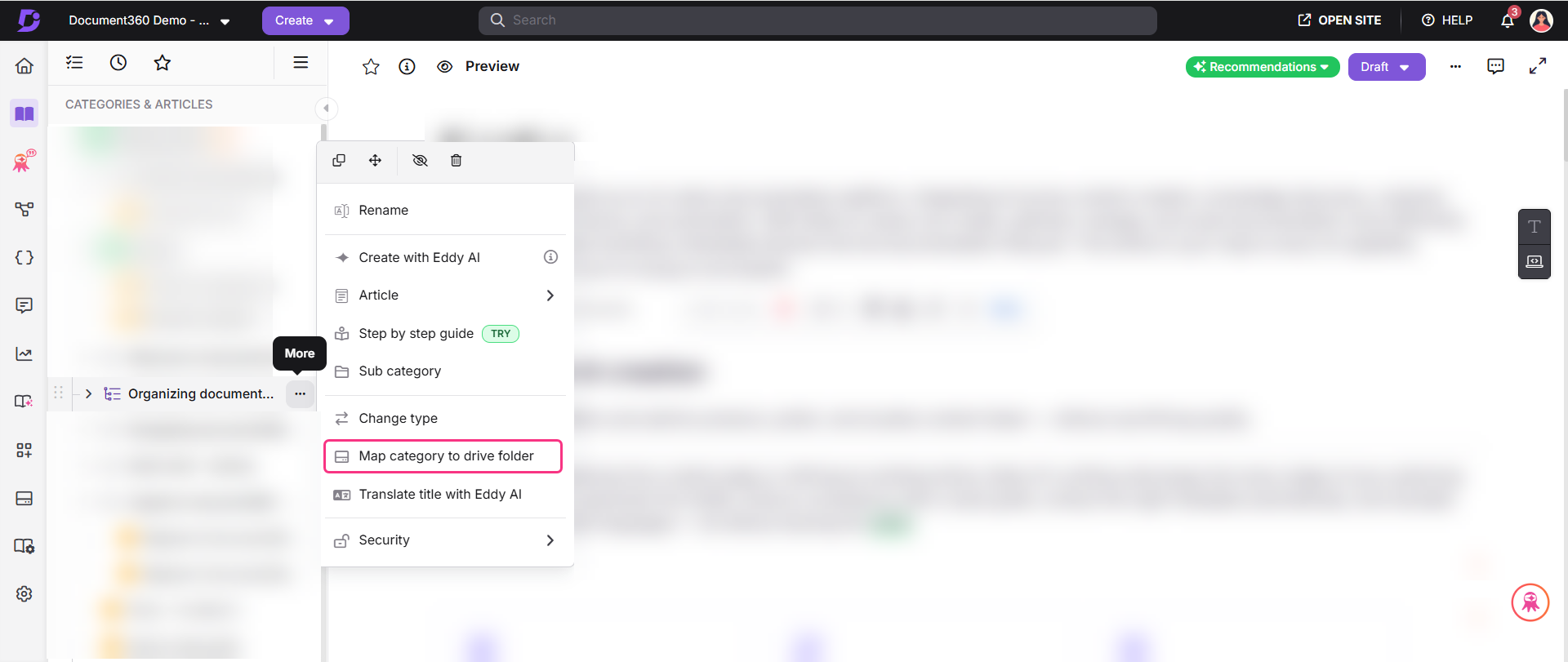
For more information, read the article on Drive folder management.
PDF exports now include version history
Category: PDF Export | Enhancement
A PDF that lands in a compliance review or a customer's inbox should show not just the content, but the history behind it. PDF exports now include a version history section for article and category page exports, capturing details such as the version number, published date, publisher, and publish comments. To ensure every update is properly documented, admins can make publish comments mandatory at the workflow status level through the Workflow designer. Authors can also choose to show version history to readers on the knowledge base site.
.png)
For more information, read the article on Export to PDF.
Other updates
- Reader group and IP address conditions can no longer be configured in public workspaces, ensuring content remains publicly accessible in both standalone public projects and mixed projects.
- The
X-Content-Type-Options: nosniffHTTP response header is now enforced across all knowledge base site endpoints, preventing browsers from performing MIME-type sniffing. - A new Conditional content filter is now available in the All articles page, allowing you to filter articles by conditional content parameter.
- When a table exceeds the screen width on the KB site, the horizontal scrollbar is now always visible on screen; users no longer need to scroll to the bottom of the table to access it.
- The project selection menu in the top navigation bar of your knowledge base portal now includes a Manage projects option for quick access to the Projects dashboard.
- The Document360 AI Capture extension now officially supports Microsoft Edge and Brave browsers, in addition to the existing Chrome support.
- You can now control the order in which SSO and JWT login buttons appear on your reader login page. The CTA position list in Site customization combines all your active SSO and JWT providers in one place. Drag them into the order that works best for your readers.
- Logo display on the knowledge base portal has been improved for better visibility across light and dark mode backgrounds.
- The Edit option has been removed from the article preview page to keep the preview experience focused on content review and prevent duplicate editor sessions.