Each endpoint article in your API documentation workspace comes with a set of options for adding custom content, configuring article settings, collaborating with your team, and controlling access. This article covers everything available on an endpoint article page.
Adding custom content to endpoint articles
You can add and format custom content directly within your imported API endpoint pages using the built-in mini advanced editor. This is useful for adding usage notes, code examples, or context that is not captured in your OpenAPI spec.
To add content to an endpoint page:
- Navigate to API documentation ({ }) in the left navigation bar.
- Open the endpoint article you want to edit.
- Click the (+) icon to insert an editor block below the spec-generated content.
- Enter your content and format it using the toolbar options.
Your content is saved automatically.
Editor toolbar
The advanced WYSIWYG editor toolbar includes formatting options for text styling, lists, images, links, and more. You can also type / to access slash commands for quick insertion of headings, lists, and other elements. Use keyboard shortcuts and the Tab key to navigate quickly between toolbar options and editor elements. The editor also supports enhanced editing and formatting options for links.
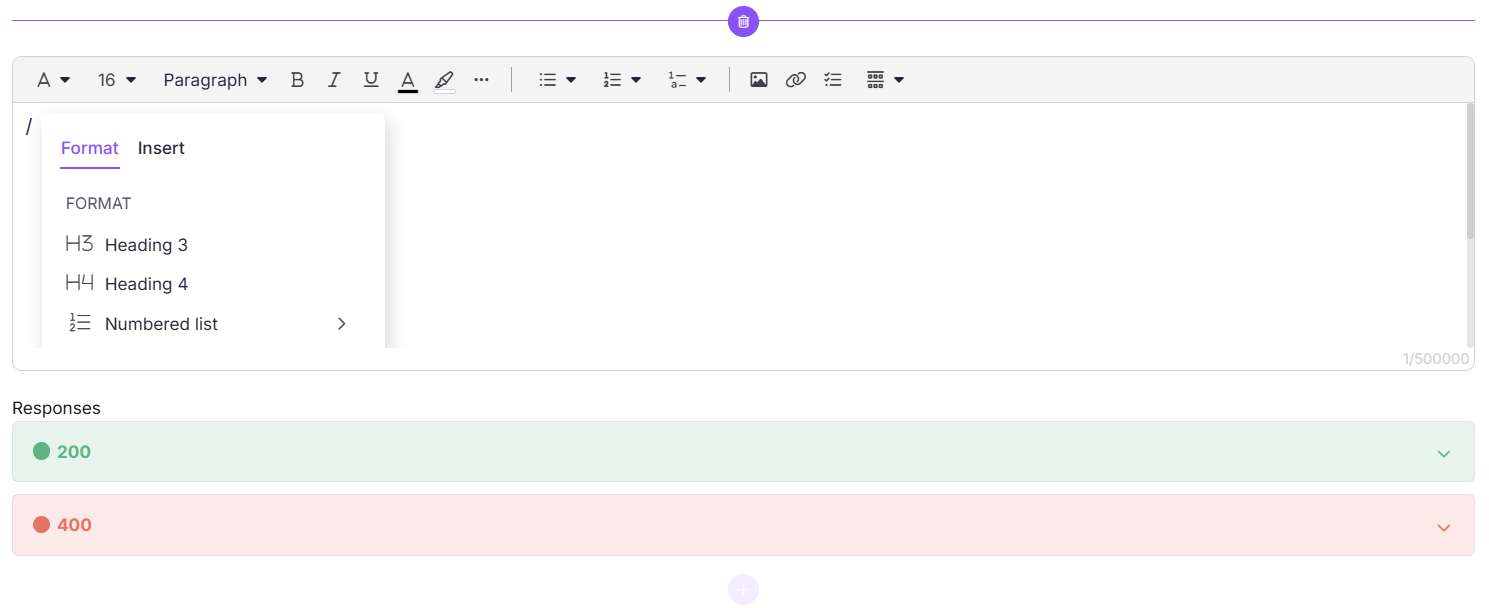
Each editor block has a character limit of 500,000 characters. Custom content added to endpoint pages is retained when you regenerate or resync your API documentation.
Article settings
Each endpoint article has an Article settings panel accessible from the (⋯) icon in the top navigation bar of the editor. This gives you access to additional configuration options for the article.
Since each of these settings has its own dedicated article, this section provides a brief overview and links to the relevant documentation.
| Setting | What it does |
|---|---|
| Review reminder | Set a reminder to review the article at specific intervals, either by marking it for review or scheduling a reminder. |
| Custom fields | Add custom metadata fields to the article. |
| GEO/SEO | Configure SEO settings including meta title, description, and geo-targeting. |
| Search visibility | Control whether the article appears in search results. |
| Tags | Add tags to the article for better discoverability. |
| Labels | Apply labels to categorize and filter articles. |
| Related articles | Link related articles that readers may find useful. |
| Featured image | Set a featured image for the article. |
| Attachments | Add file attachments to the article. |
| Status indicator | Set a status indicator to signal the article's state. |
| Preferences | Configure article-level preferences. |
| Editor type | Switch between editor types for the article. |
| Mark as deprecated | Mark the article as deprecated to signal that it is no longer actively maintained. |
For detailed instructions on each setting, refer to the Article management article.
Endpoint article options
Right-clicking an endpoint article in the Categories & Articles pane gives you the following options:
| Option | What it does |
|---|---|
| Publish | Publish the endpoint article to the Knowledge base site. |
| Publish later | Schedule the article to be published at a specific date and time. |
| Rename | Rename the endpoint article. |
| Security | Configure who can access the article from both the portal and the Knowledge base site. |
Discussions
The Discussion panel lets you have conversations with your team directly on an endpoint article. This is useful for leaving feedback, flagging issues, or coordinating updates without leaving the documentation.
To open the Discussion panel, click the Discussion icon in the top navigation bar of the editor. You can start a new conversation and use @ to mention a specific team member.
FAQ
Is custom content retained when I resync my API documentation?
Yes. Any custom content you add to endpoint articles is retained when you regenerate or resync your API documentation. Only the spec-generated content is updated.
Can I download articles as PDFs using the API?
Currently there is no option to download articles as PDFs through the API endpoints.