Document360 v12.5.1 is now live, bringing meaningful improvements across authentication, analytics, and knowledge base management. This release introduces support for multiple JWT configurations, a dedicated MCP server analytics dashboard, and reader permission inheritance for categories. Alongside these, enhancements to KB Site personalization, PDF export customization, API documentation management, and feedback visibility help teams build more organized, flexible, and reader-friendly documentation experiences.
Features/Enhancements
Support for multiple JWT configurations
Category: SSO | Feature
You can now configure and manage up to 5 JWT (JSON Web Token) setups within a single project, making it easier for enterprise and multi-domain customers to support multiple authentication methods. Each JWT configuration can have its own client ID, login URL, logout URL, domain name, and secret token. You can enable, disable, or delete each configuration independently. Admins can configure branded login buttons by defining the text and logo to be displayed on the knowledge base login page. Up to three JWT buttons are shown directly on the login page, while additional configurations can still be accessed when readers enter their domain. JWT and SSO configurations can now work together within the same project, and the login page automatically adjusts based on the enabled authentication methods.
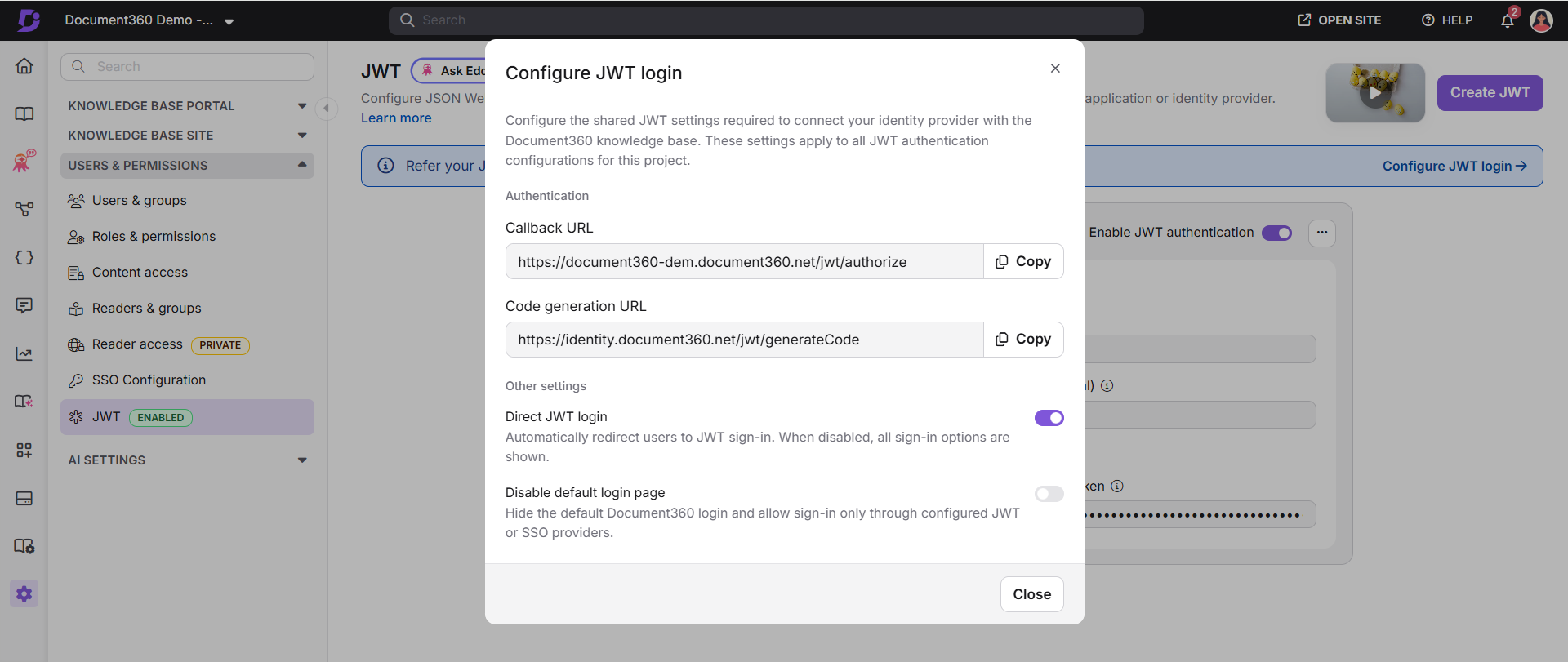
For more information, read the article on Setting up JWT SSO.
MCP server analytics
Category: Analytics | Feature
A new MCP server analytics dashboard is now available, giving you full visibility into how your knowledge base is being consumed through AI assistants and tools. You can track call volumes, success and failure rates, active users, tool usage, and top MCP clients, helping you understand usage patterns and measure the value delivery of your MCP integration.
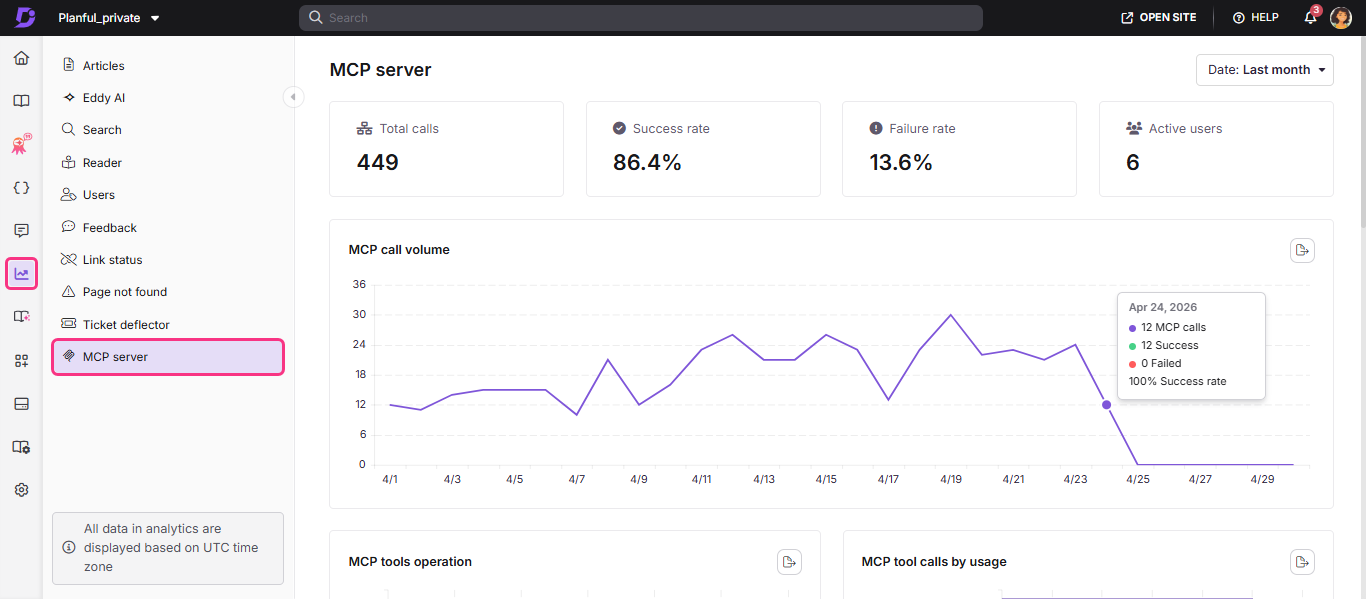
For more information, read the article on MCP server analytics.
Inherited reader permissions for categories
Category: Readers & Groups | Enhancement
Reader and reader group permissions can now automatically inherit access from parent categories to all subcategories, similar to how permissions already work for users. This inheritance is enabled by default for new projects. For existing projects, Project Owners or Admins can run a one-time migration from the Readers & Groups section. After migration, any reader or reader group with access to a parent category will automatically get access to its existing and future subcategories. Admins can still block inheritance or set specific allow and deny permissions for any workspace, language and category/article level.
.png)
For more information, read the article on Managing readers.
Enhanced Knowledge base site personalization with Favorites
Category: Knowledge base site | Enhancement
Several improvements have been added to KB Site to improve reader experience and navigation. Logged-in readers can now mark articles, decision trees, API endpoints, and page categories as favorites using the heart icon, and access all saved items from a dedicated Favorites section in the left panel or via their profile. The right-hand panel is now configurable, admins can reorder modules (Files, Tags, Related Articles, In This Article) via drag-and-drop and can move Related articles between the right panel and the article footer. Key header actions including Export PDF, Share, and Follow now remain visible in a sticky header while readers scroll.
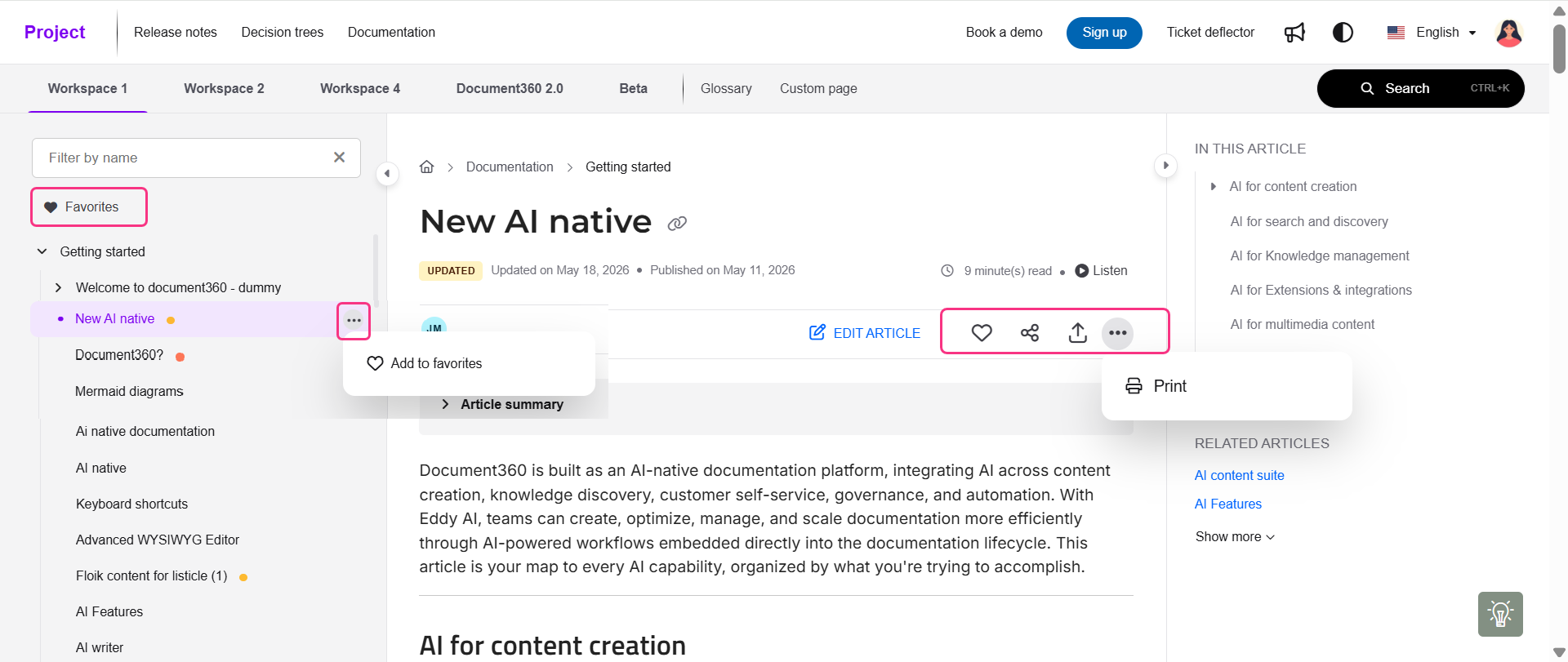
For more information, read the article on Knowledge base site overview.
Advanced PDF customization with dynamic metadata in footer, cover page, and end page
Category: PDF export | Enhancement
The PDF export template system now supports dynamic placeholders in the footer, cover page title, and a new customizable end page. Admins can use the Add placeholder option to automatically insert values such as article title, language, and version. The end page can be customized with a title, description, text alignment, font and background colors, and logo or background image uploads. By default, the exported PDF file name is taken from the cover page title, but it can still be edited before export.
.png)
For more information, read the article on Designing a PDF template.
Export articles as PDF from the Notifications section on the KB site
Category: PDF export | Enhancement
Readers on the private knowledge base site can now access and download exported PDFs directly from the Notifications section, without relying on email. These exports follow the same PDF template configurations set by admins, including footer metadata, cover pages, custom file naming, and all bulk export templates configured for exporting multiple articles, ensuring a consistent export experience. Exported PDFs remain available in the Notifications section for 30 days from the date they are generated.
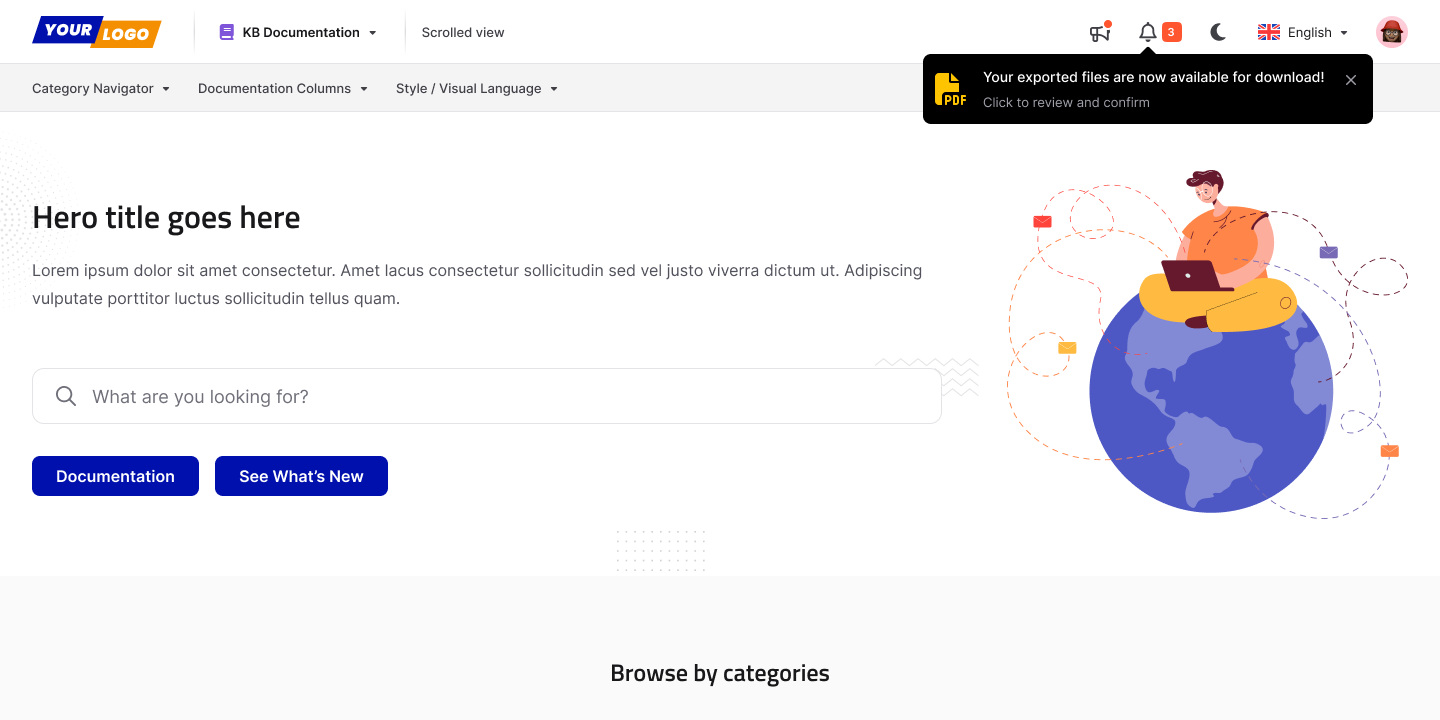
For more information, read the article on Downloading category and article in KB site.
Improved endpoint management for API documentation
Category: API documentation | Enhancement
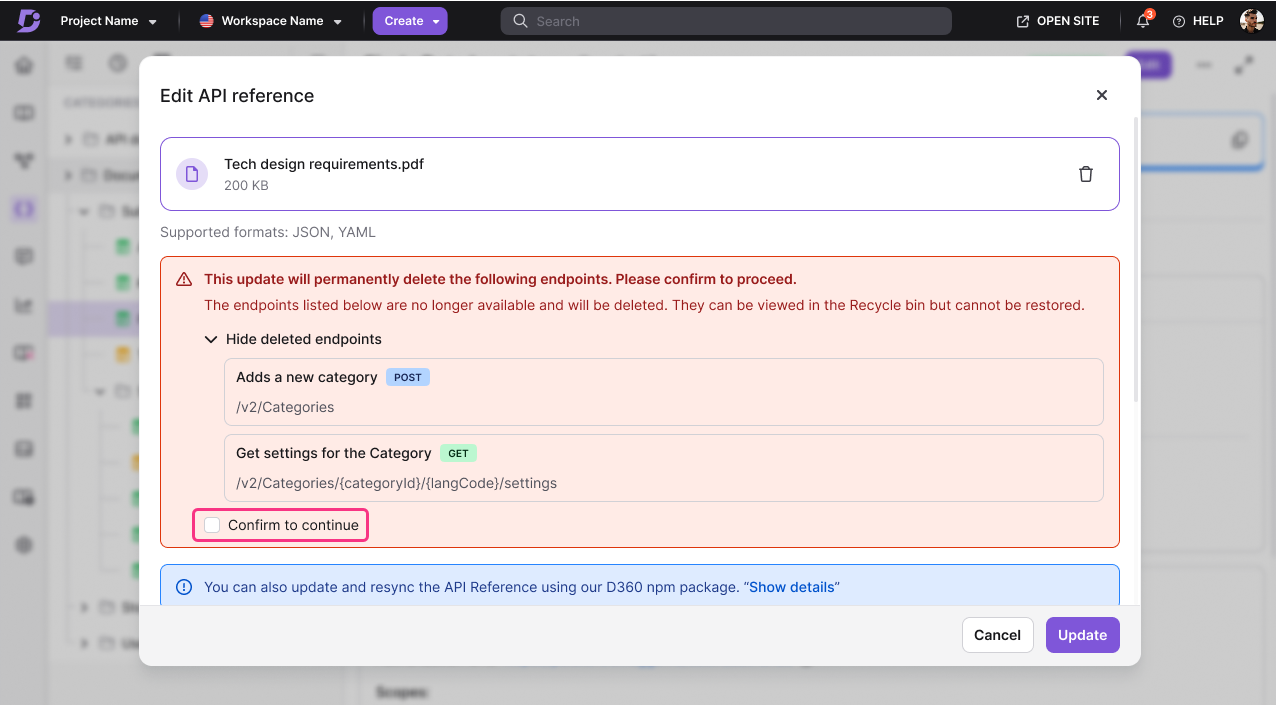
When an API reference file is updated and existing endpoint URLs change, you are now shown a list of affected endpoints before proceeding. Affected endpoints are moved to the Recycle bin where their content can be previewed and permanently deleted, keeping the category tree clean.
For more information, read the article on Managing API documentation.
Enhancements to Feedback Management
Category: Feedback manager | Enhancement
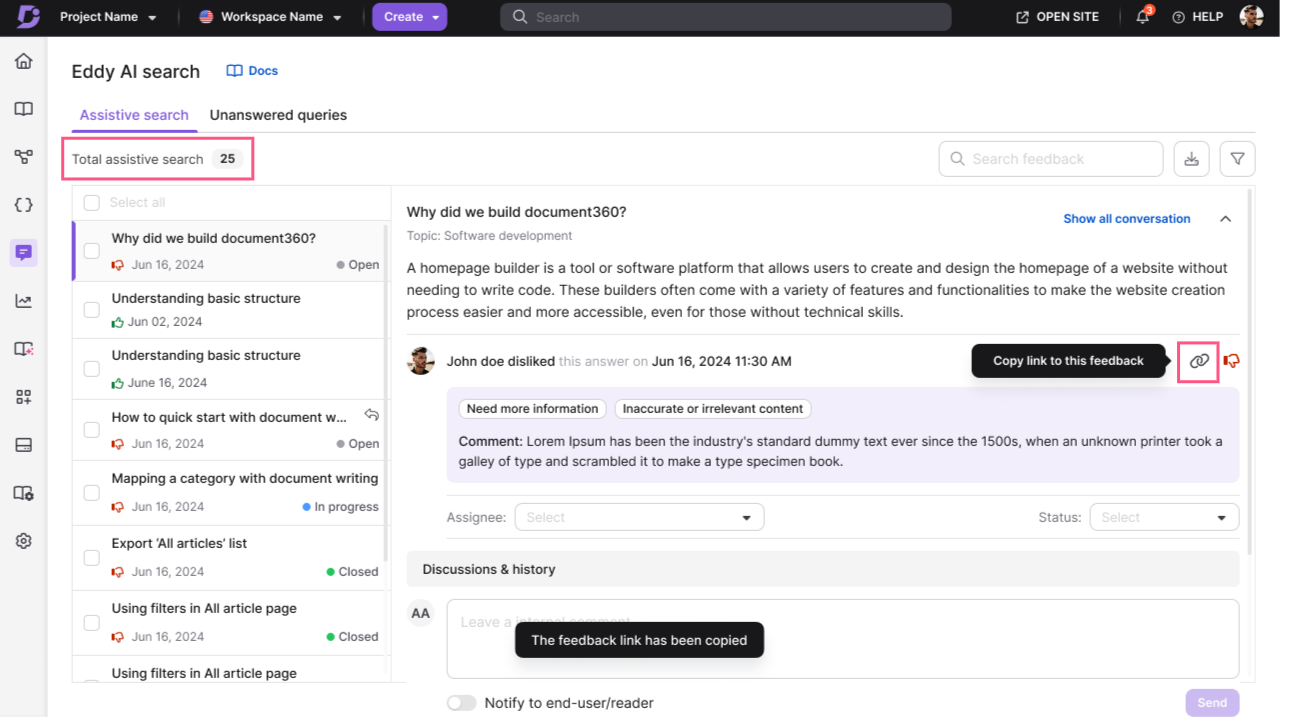
The Feedback Manager now displays the total number of feedback items directly on the dashboard for better visibility. A new ‘Has comments’ filter under the Dislike feedback type helps you quickly find feedback that includes comments. Each feedback item also now includes a copy link option that generates a unique shareable URL. Opening the link takes users directly to the specific feedback item, while unauthorized users will see an appropriate access restriction message.
For more information, read the article on Eddy AI feedback.
Other updates
FAQ items in the FAQ accordion can now be reordered using the move up and move down controls, giving you full control over the order in which FAQs appear on your knowledge base site.
Subfolder-hosted projects can now automatically redirect the Document360 subdomain to the canonical custom domain. When enabled, all requests landing on the Document360 subdomain are redirected to the canonical domain, preserving the original path and query string.
The Additional Scope field is now available in the OpenID SSO configuration under Step 3: Configure Service Provider. When editing an existing SSO setup, previously configured scopes are automatically shown and saved correctly to prevent accidental resets. You can add up to three additional scopes.
When updating workflow statuses, "Leave unassigned" is now selected by default if no default assignee is configured for the selected workflow status. This applies to both single-article and bulk workflow updates.
Navigation links, table of contents links, and tag links on the knowledge base site now include proper href attributes, improving SEO crawlability and accessibility compliance.
NOTE
Minor security updates, bug fixes, and performance improvements have also been implemented across the Knowledge base portal and Knowledge base site.