Document360 version 12.10.1 is now live, bringing simpler access setup and more flexible content reuse. This release introduces a unified Enterprise SSO experience, bulk article mirroring, citations in Eddy AI chatbot responses, and scoped PDF exports for page categories, so you can manage sign-in, reuse content, and verify answers with less effort.
Unified SSO and JWT configuration
Category: SSO | Enhancement
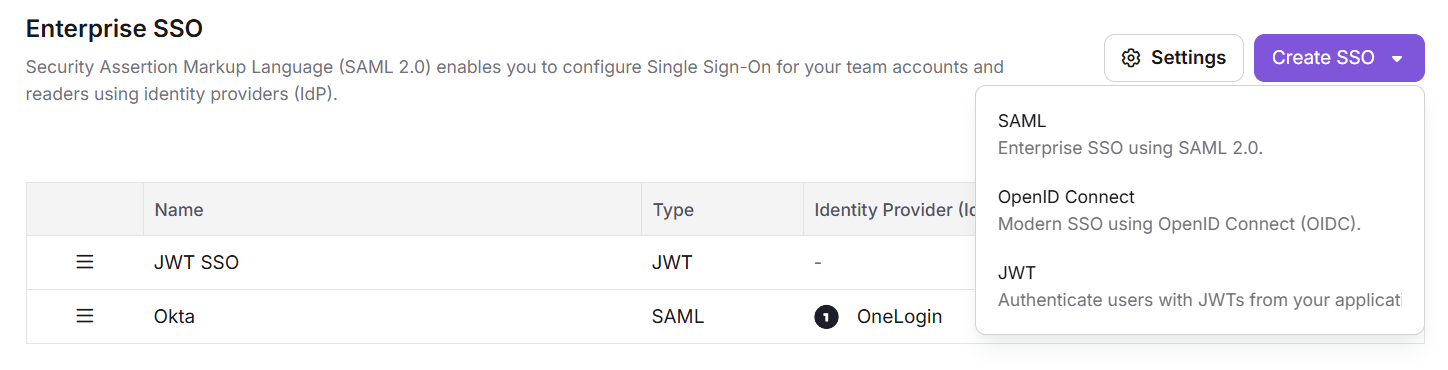
Managing multiple SSO sign-in methods is now simpler with a unified configuration experience. SAML, OpenID Connect, and JWT are now available under the Enterprise SSO menu. The Create SSO action lets you choose an option and complete its setup in a single guided flow. When multiple SSO methods are active, you can reorder them on the Enterprise SSO page to control how they appear to users and readers on the login page.
For more information, read the article on Single Sign-On (SSO).
Mirror (Replicate) articles at scale
Category: Article management | Feature
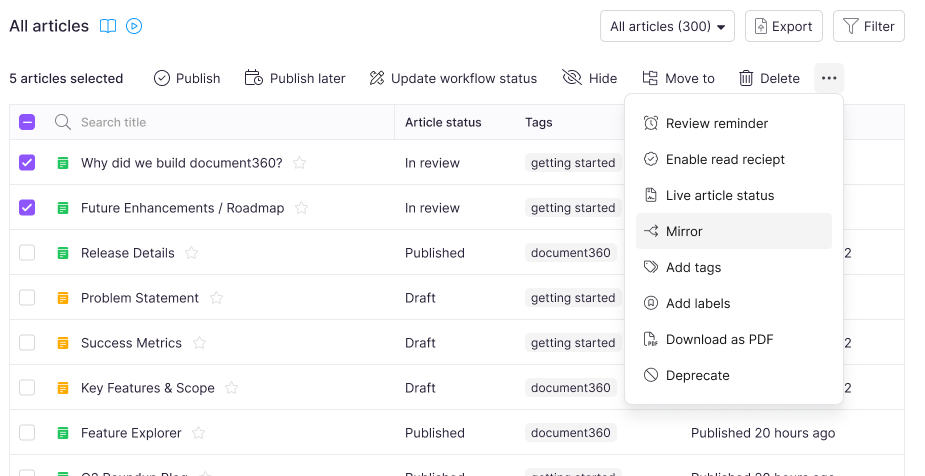
Replicate is now called Mirror with a new icon () to make its purpose easier to understand. The new name better reflects how the feature creates a mirrored instance of an existing article while keeping it connected to its source.
You can now mirror articles in bulk across workspaces, languages, and categories, making it easier to reuse shared content at scale. Mirrored articles are now carried over when you clone a category. The All articles page also supports finding, moving, and deleting mirrored and source articles at scale.
For more information, read Mirror articles.
Citations for Eddy AI chatbot responses
Category: Eddy AI | Feature
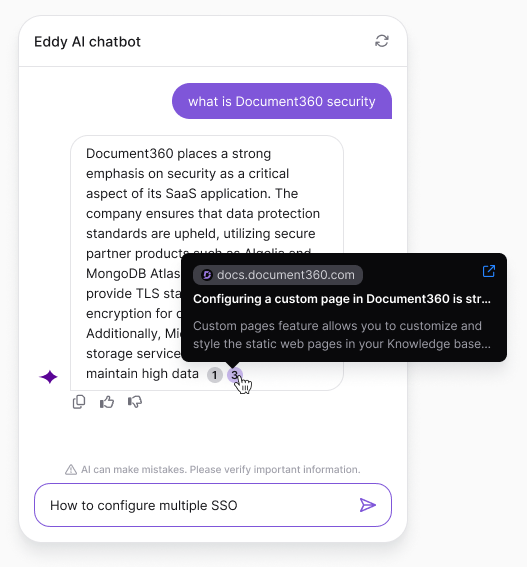
Understanding the sources behind Eddy AI responses is now easier with citations. Chatbot answers now include numbered citation markers showing the sources used to generate the response.
Hover over a citation from a public knowledge base article to preview the article title and open the source in a new tab. Citations from private sources, such as text and FAQ modules, ticket integrations, or uploaded files, display a generic “based on private source” message without exposing the underlying content.
Portal admins see the same citations in Playground, with additional options to open source files, text, or FAQs inline, or jump directly to them in the content list.
For more information, read the article on Eddy AI Chatbot.
Export only the page category you need as PDF
Category: PDF export | Enhancement
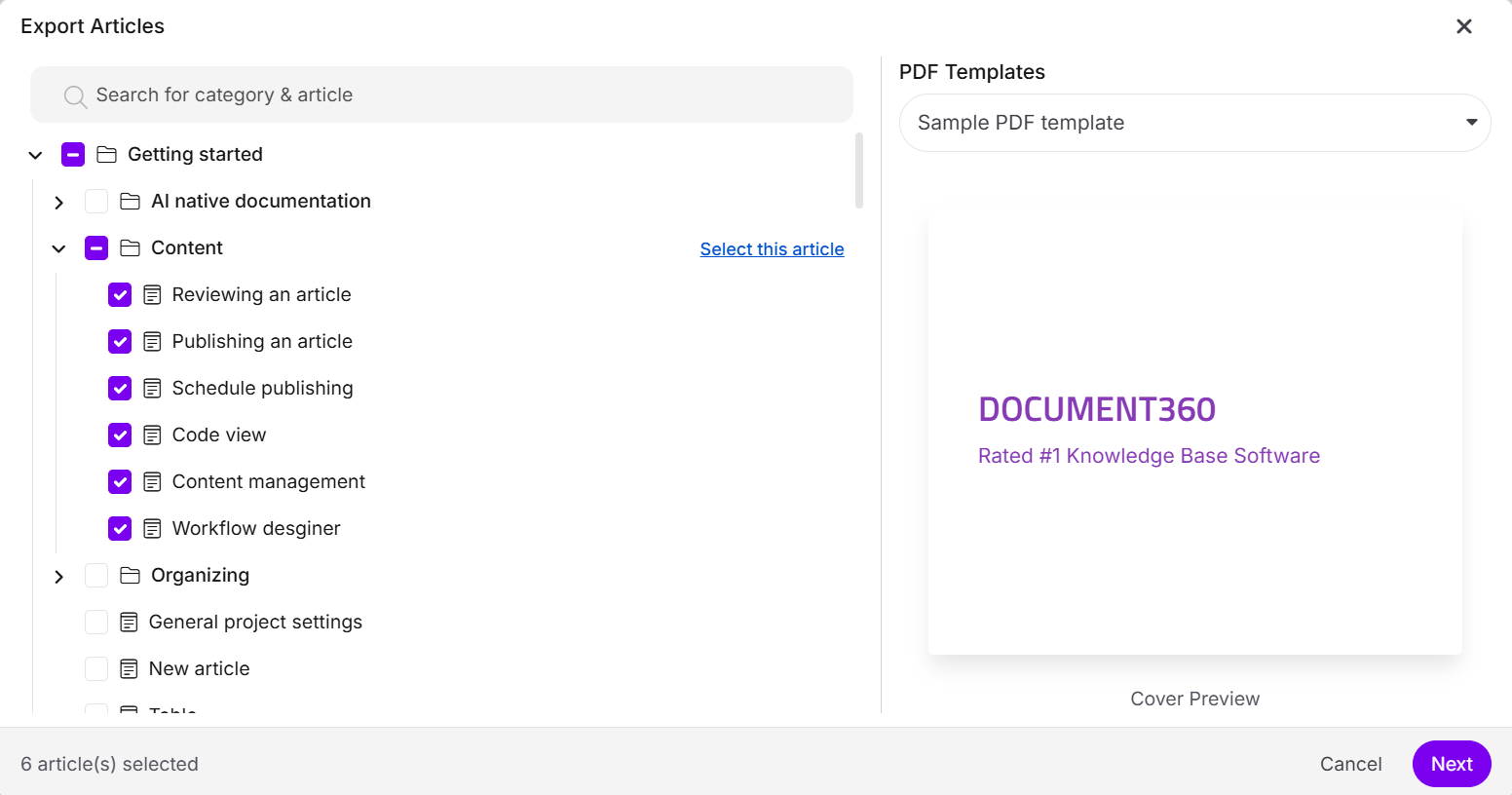
You can now choose an individual page category for PDF export without including its child articles or subcategories. Use Select this article to export just the selected category, or use the checkbox to include its nested content.
For more information, read the article on Downloading category and article in KB site.
Hide PDF templates from the knowledge base site
Category: PDF export | Enhancement
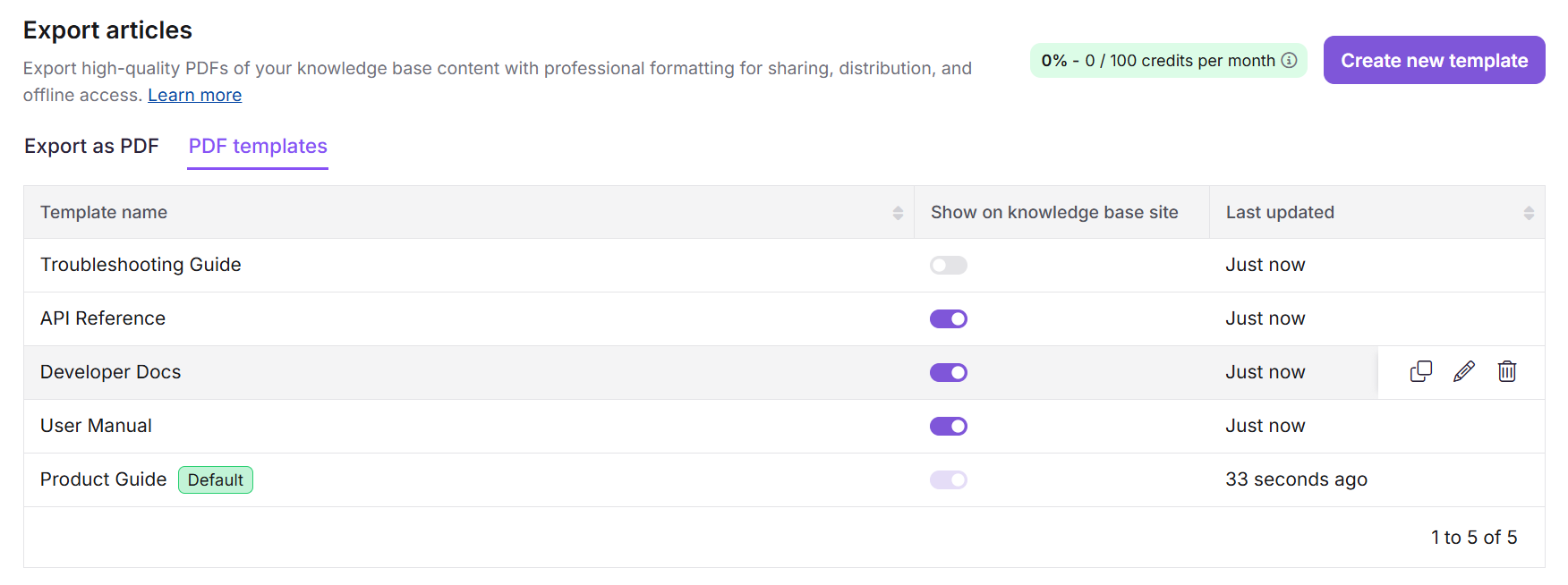
Previously, when the Allow users to choose a PDF template while exporting setting was enabled for the Knowledge base site, readers could see all PDF templates in the project when exporting a PDF. As an Admin, you can now hide individual templates from the Knowledge base site without deleting them.
Use the Show on knowledge base site option on the Export articles page to control which templates readers can see. Hidden templates remain fully configured and can be shown again at any time. The default template is always visible.
For more information, read the article on Designing a PDF template.
Other updates
- The Notifications page in Knowledge base site settings now has an improved UI for easier navigation.
- The Article revision pane in Version history now has an improved UI for easier content review.
- Minor security updates, bug fixes, and performance improvements have also been implemented across the Knowledge base portal and Knowledge base site.