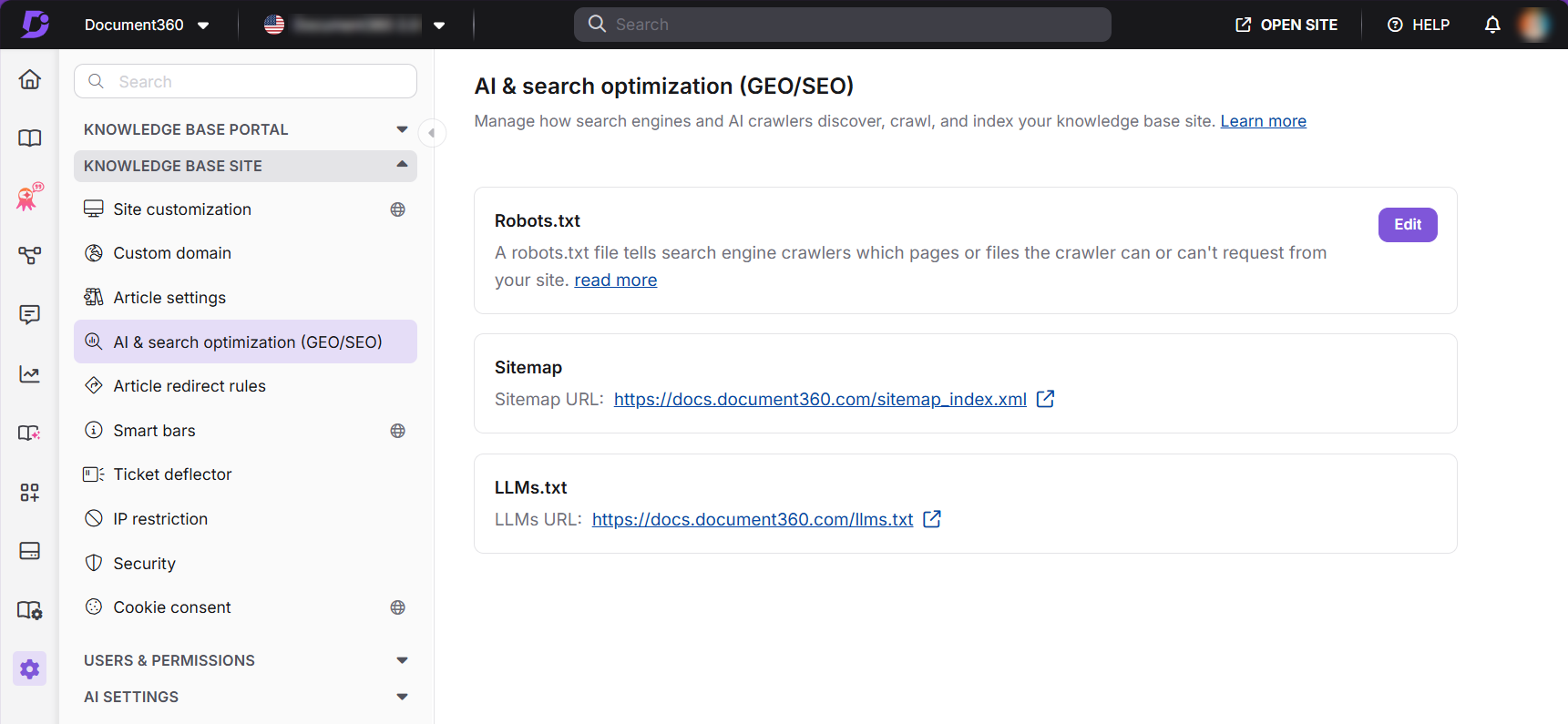
The AI & search optimization (GEO/SEO) settings page is where you manage how search engines and AI crawlers discover, crawl, and index your knowledge base site. It brings together Robots.txt, your sitemap, and llms.txt in a single location, so you can control site-wide crawler behavior without visiting each setting separately.
You can access this page by navigating to Settings () > Knowledge base site > AI & search optimization (GEO/SEO).
Before you begin
- You have a Project Owner or Admin role to edit Robots.txt.
- Your project is set to public or mixed access mode for the Sitemap and LLMs.txt URLs to be available. Private projects are not indexed by search engines and do not generate these files.
What you can do on this page
From here, you can edit your Robots.txt rules and view the auto-generated Sitemap and LLMs.txt URLs for your knowledge base site.
Robots.txt
Edit crawl rules that tell search engine crawlers which pages or sections they can or cannot request.
Learn more →Sitemap
View the auto-generated sitemap URL that gives crawlers a complete list of your indexable pages.
Learn more →LLMs.txt
View the auto-generated LLMs URL that helps AI models accurately retrieve and cite your content.
Learn more →Robots.txt does not restrict human access and should not be used as a security measure. To exclude individual articles or categories from search results, use Search visibility settings instead.
Best practices
- Always include your sitemap URL inside your Robots.txt rules so crawlers can discover both files in one place.
- Pair Robots.txt with Search visibility settings for precise, layered control over what gets indexed.
- Keep article AI & search descriptions between 120–160 characters, including spaces. This length benefits both search engine snippets and
llms.txtentries. - Revisit this page after major restructuring (renamed categories, changed slugs, or a visibility change) to confirm your crawler-facing files still reflect the correct URLs.