The Playground is a private testing environment in Eddy AI Chatbot where you can interact with your chatbot and validate its responses before making them visible to users. It acts as a safe space to check answer accuracy, test different question scenarios, and preview appearance changes — all without affecting the live chatbot experience on your website.
When to use the Playground
- Use the Playground before publishing for the first time to verify that the chatbot responds accurately based on your connected sources.
- Use it after adding new sources to confirm the chatbot answers questions based on the latest content.
- Use it after changing appearance settings to preview how the chatbot looks before pushing changes live.
- Use it after publishing to test ongoing changes without disrupting end users.
Before you begin
- You must have created an Eddy AI Chatbot with at least one source connected.
- Before the chatbot is published for the first time, the bot and its sources are not live on your site. The Playground is the only way to interact with the chatbot during this phase.
Test your chatbot in the Playground
- Navigate to AI Chatbot (
 ) in the left navigation bar and click Customize.
 - Navigate to the Playground () tab.
- Type a question in the chat input field, just as a user would.
- Review the chatbot's response.
- Continue asking questions to test different scenarios and verify accuracy.
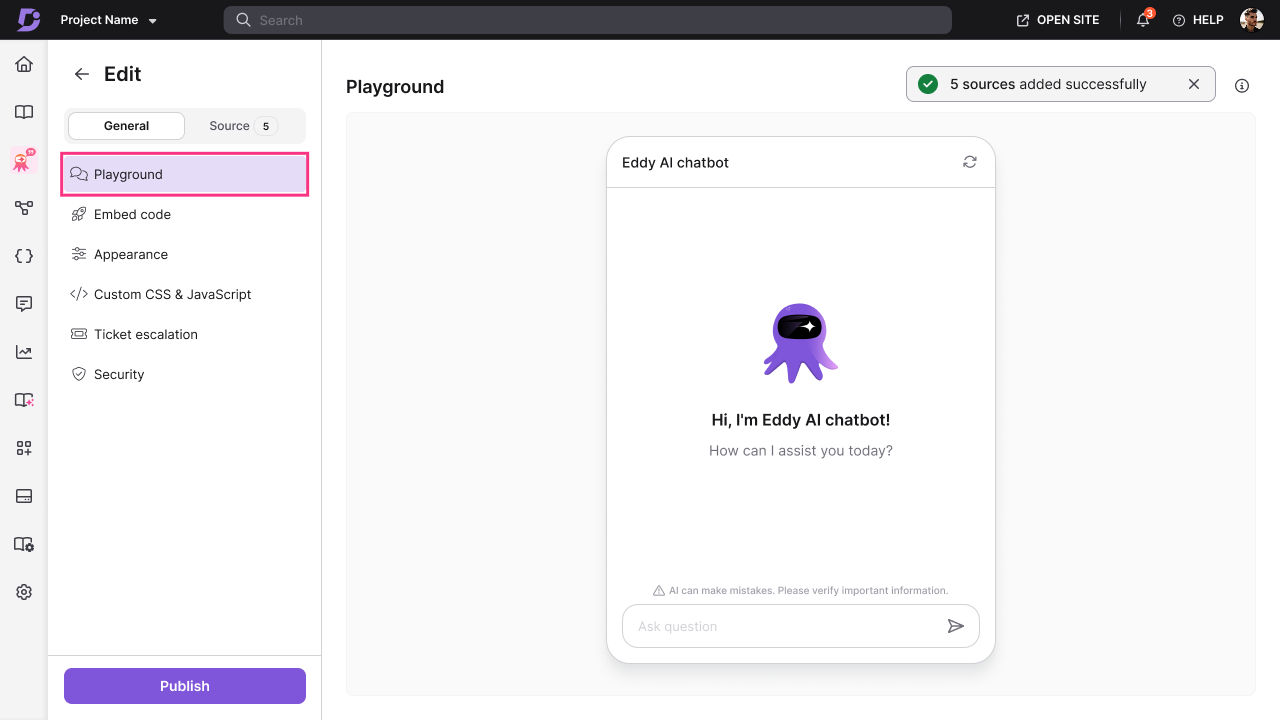
The chatbot is ready for publishing when responses meet your expectations.
View answer sources with citations
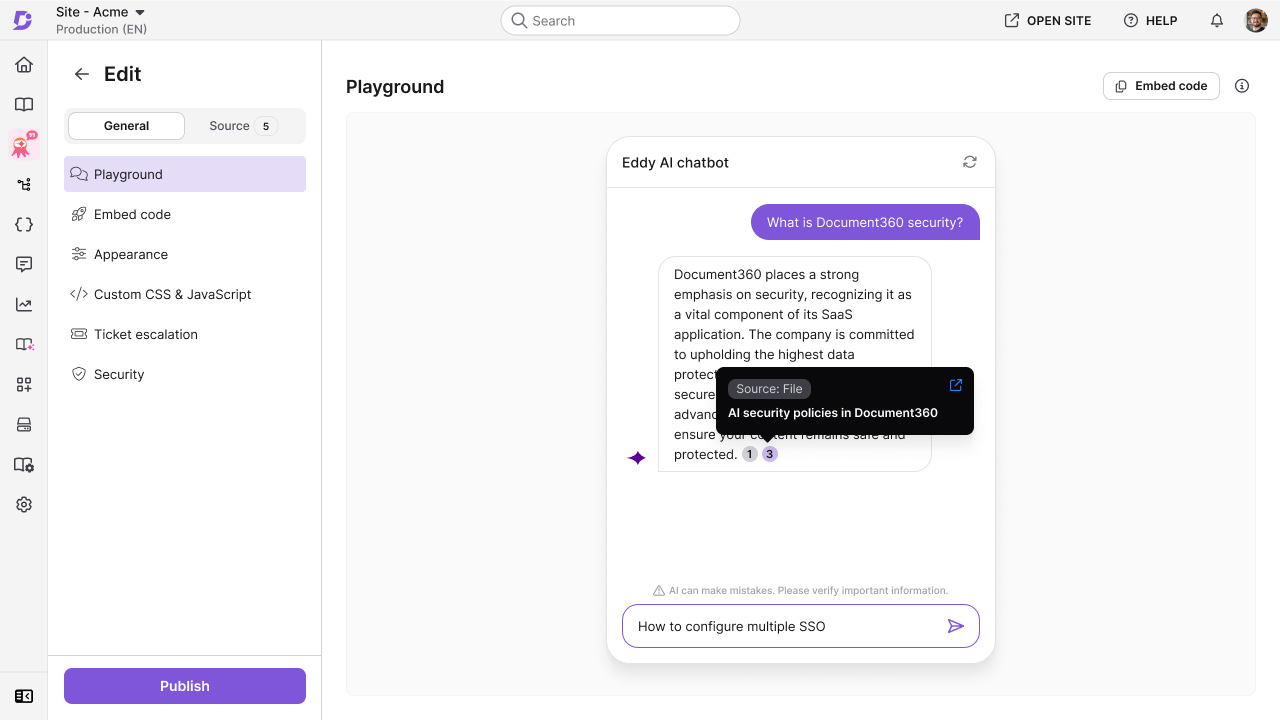
When the chatbot answers a question in the Playground, numbered citation pills appear at the end of the answer. Each pill represents one source that the chatbot used to generate the answer. Hover over a pill to see which source it refers to, and click it to open that source.
| Source | What the citation shows | On click |
|---|---|---|
| Knowledge base article | The article title and a short description. | Opens the article. |
| Website | The URL. | Opens the page. |
| File | The file name, tagged as a file source. | Navigates to the Sources tab and opens the file. |
| Text | The entry title, tagged as a text source. | Navigates to the Sources tab and opens the Text entry. |
| FAQ | The entry title, tagged as an FAQ source. | Navigates to the Sources tab and opens the FAQ entry. |
| Zendesk or Freshdesk | A note that the answer used a Zendesk or Freshdesk ticket, with no individual ticket details. | Goes to the source's configuration page. |
How the Playground behaves before and after publishing
| State | Playground behaviour |
|---|---|
| Before first publish | The chatbot and its sources are not live. The Playground is a fully private testing space with no impact on end users. |
| After publishing | New sources added are synced to the live chatbot immediately. The Playground reflects the latest sources and appearance settings, letting you preview changes before pushing them to the site. |
Best practices
- Ask questions your real users would ask — avoid testing only with exact phrases from your documentation. Use varied, natural-language questions to identify gaps in the chatbot's knowledge.
- Test edge cases — ask questions the chatbot should not be able to answer and verify it responds gracefully, for example by prompting a ticket escalation.
- Test after every major source update — even for sources that sync automatically, validate the chatbot's answers in the Playground before assuming the update is working correctly.
- Preview appearance changes before publishing — save appearance or CSS changes and check the Playground first to catch any visual issues before they reach your users.