You can manage your Knowledge base widgets in Document360 directly from the widget list — all actions (edit, clone, delete) are available by hovering over any widget.
When to use each action
- Edit — Update an existing widget's name, styling, content access, links, or any other configuration. Changes apply to the widget everywhere it is embedded.
- Clone — Duplicate a widget's configuration to create a new, separate widget. Useful for creating test widgets or regional variants without touching a live widget.
- Delete — Permanently remove a widget that is no longer needed or embedded anywhere.
Before you begin
- You must have a Project Owner or Admin role.
- Deleting a widget is permanent and cannot be undone. Ensure the widget is no longer embedded on any live site before deleting.
Edit a knowledge base widget
- In the left navigation bar, navigate to Connections () > Knowledge base widget.
- Hover over the desired widget and click () Edit.
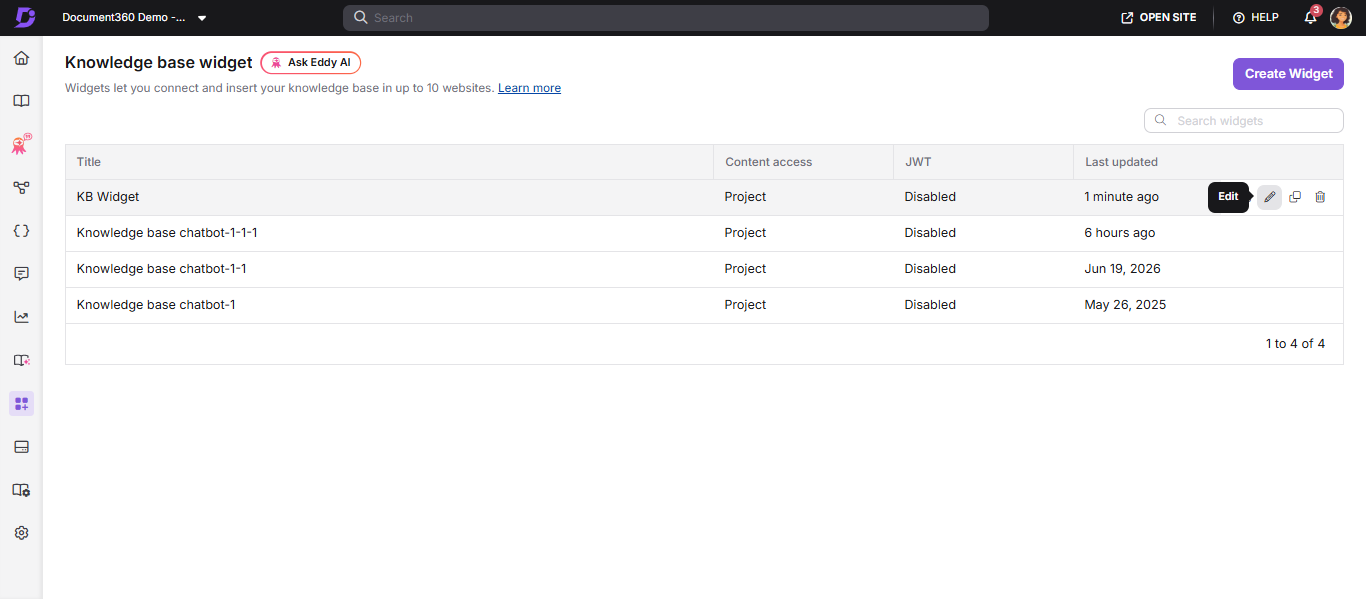
- Edit the widget as needed across the Installation & Setup, Advanced settings, Custom CSS & JavaScript, and URL mapping tabs.
- Click Save to apply your changes.
What happens when you edit a widget
- Your changes apply to all pages where the widget is embedded — you do not need to update or re-embed the widget script.
- Changes take effect immediately.
- The widget remains available to end users while you edit; changes only apply after you click Save.
Clone a knowledge base widget
- Navigate to Connections () in the left navigation bar and select Knowledge base widget.
- Hover over the desired widget and click Clone ().
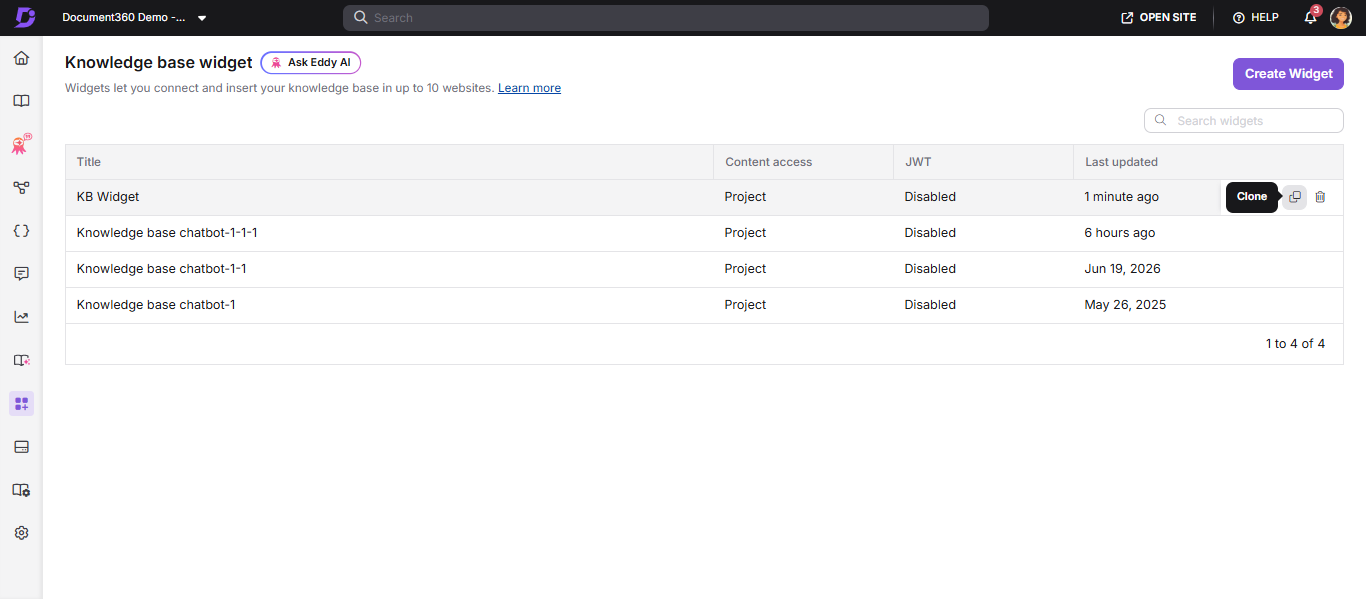
- Specify a title and update the desired configurations across the Installation & Setup, Advanced settings, Custom CSS & JavaScript, and URL mapping tabs.
- Click Save to apply the changes.
What happens when you clone a widget
- The clone is a completely separate widget with its own widget ID and its own embed code. It does not appear on any site until you embed its script.
- Cloning has no effect on the original widget or on any pages where the original is embedded.
Delete a knowledge base widget
- Navigate to Connections () in the left navigation bar and select Knowledge base widget.
- Hover over the desired widget and click Delete ().
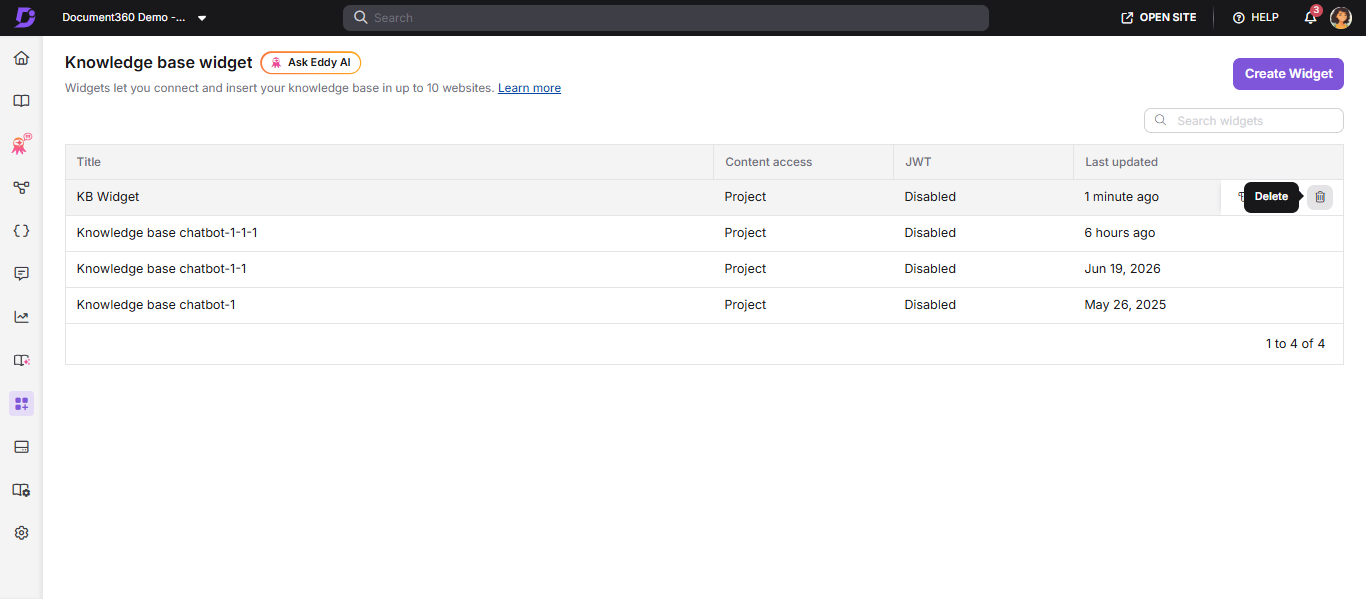
- Click Yes in the confirmation prompt. Click No to cancel.
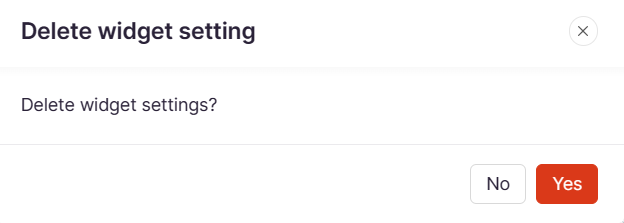
What happens when you delete a widget
- The widget stops working on all pages where it is embedded, effective immediately.
- On pages that still contain the widget script, the widget does not load and the script's request returns a 401 (Unauthorized) error in the browser console.
- The widget's configuration cannot be recovered. To restore it, you must create a new widget from scratch and embed the new script.
Best practices
- Clone before deleting — if there is any chance you will need the configuration again, clone the widget first. The clone preserves the setup without keeping the original live.
- Remove the script first — always remove the widget script from all embedded pages before deleting the widget, to avoid broken integrations or leftover markup on live sites.
- Test changes on a clone — for significant styling or content-access changes to a widget on a high-traffic site, clone the widget, test the changes on a scratch page, then apply them to the live widget.