Knowledge base homepage redirects to /apidocs (page not found)
When it occurs: After an account upgrade, visiting the knowledge base homepage automatically redirects to /apidocs, which returns a 404 or blank page.
Why it happens: When an account is upgraded, the API documentation workspace may be set to Public reader access. This causes the knowledge base homepage to redirect visitors to /apidocs, which does not exist by default.
How to fix it:
- Navigate to Settings (⚙️) > Users & Permissions in the left navigation bar of the Knowledge base portal.
- In the left navigation pane, go to Reader access.
- Locate the API documentation workspace.
- Set Reader access to Private.
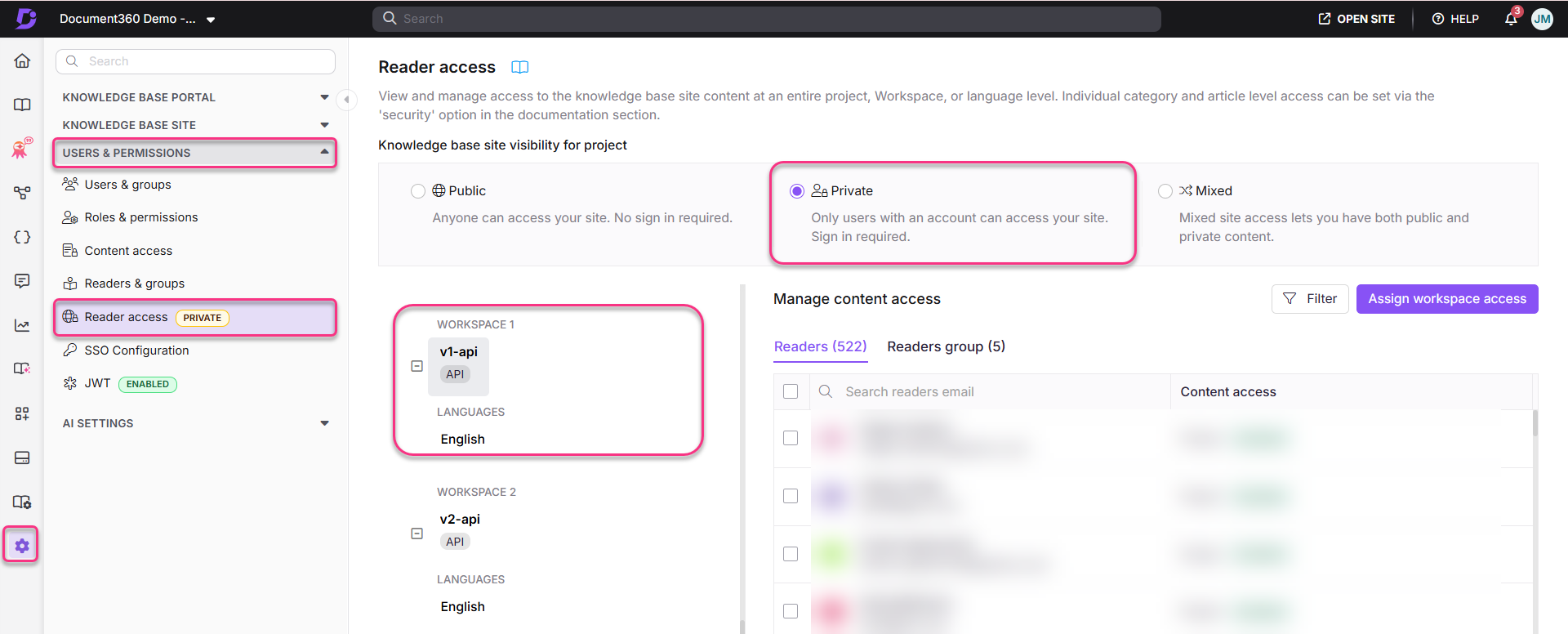
This will stop the unintended redirect and restore normal access to your knowledge base homepage.