You can convert a Reviewer account to a Reader account when a user no longer needs portal access for review tasks but should retain read-only access to the knowledge base site. The conversion assigns the user a reader role with the content access level you specify.
NOTE
The option to convert a reviewer account to a reader account is available only for private and mixed projects. It is not available for public projects, as public content is accessible to everyone without a reader account.
When to convert a reviewer to a reader
- A reviewer has completed their review responsibilities and only needs read-only access going forward.
- You want to retain the user's access to the knowledge base site without keeping them in the portal contributor list.
Before you begin
- You must have the Admin or Owner portal role.
- Your project's reader access must be set to Private or Mixed.
- Have the desired content access level and any applicable reader groups ready before starting.
How to convert a reviewer to a reader
-
Navigate to Settings () > Users and security in the left navigation bar in the knowledge base portal.
-
In the left navigation pane, navigate to users and groups.
-
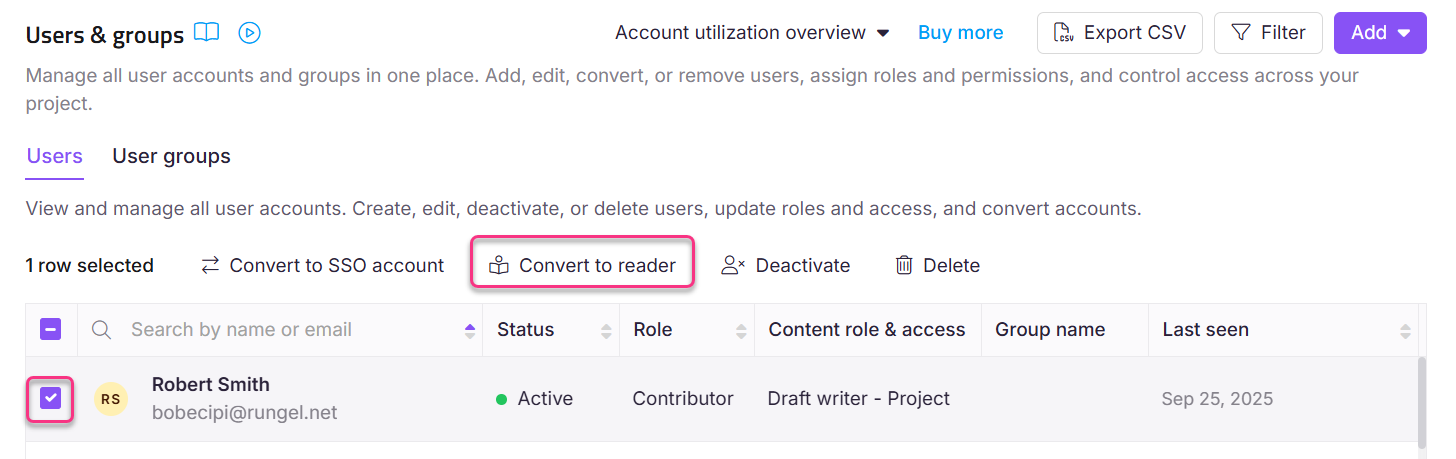
Select the checkbox next to the user you wish to convert.
-
Click Convert to reader.
-
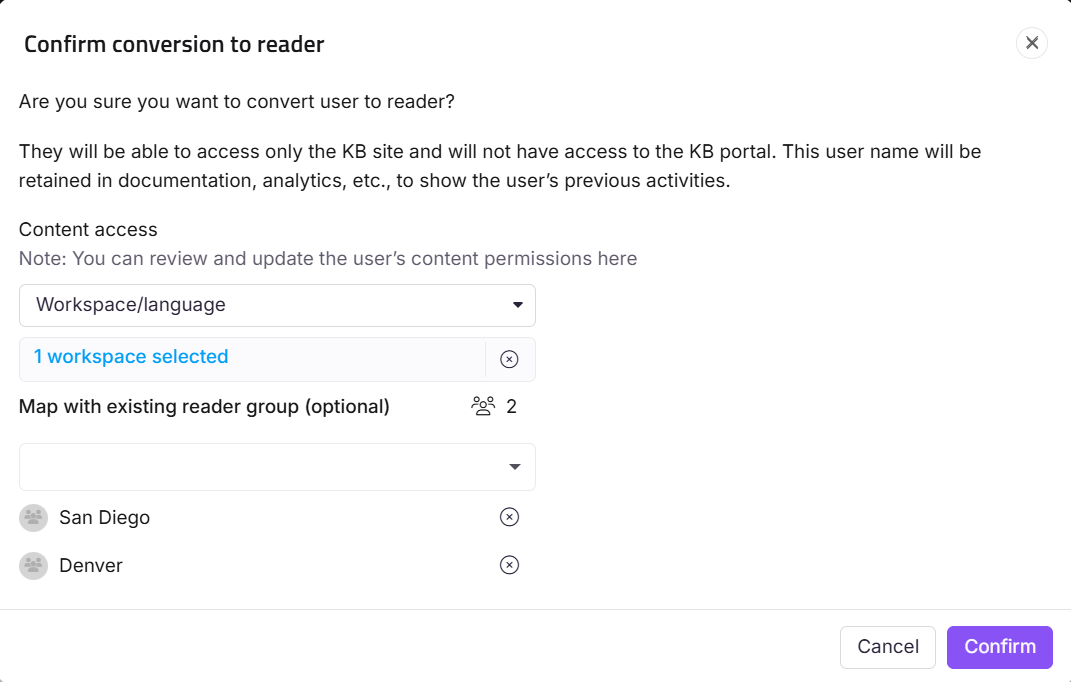
Assign the desired content access permissions from the Content access dropdown.
-
As an optional step, map the user to any existing reader groups from the Map with existing reader group dropdown.
-
Click Confirm to convert the Reviewer to a reader account.
For more information about readers, see Managing readers.
Considerations
| Item | Detail |
|---|---|
| Project type | Conversion is only available for private and mixed projects. Not available for public projects. |
| Reversibility | Once converted, the user becomes a reader account. To restore reviewer access, you would need to create a new reviewer account for that user. |
Best practices
- Assign the most restrictive content access that meets the reader's needs at the time of conversion. You can always edit their access afterward. See Edit a reader.
- Map the converted reader to a reader group at conversion time if a group with the right permissions already exists, rather than configuring individual access afterward.