Belco is a real-time chat platform designed for websites, enabling customers to connect instantly with your support team. Integrating Belco with your Document360 knowledge base gives users immediate access to support as they navigate your content. A single agent can handle multiple conversations simultaneously, helping reduce operational costs while maintaining high customer satisfaction.
Belco is a good fit if you want a chatbot with a simple interface and a well-structured platform that includes a powerful e-commerce plugin.
Before you begin
- You need a Belco account.
- You need your Belco Shop ID. See How to find your Belco Shop ID below.
Find your Belco Shop ID
The Belco Shop ID is a unique code obtained from the Belco application. It is required to connect Belco with Document360.
Existing Belco user
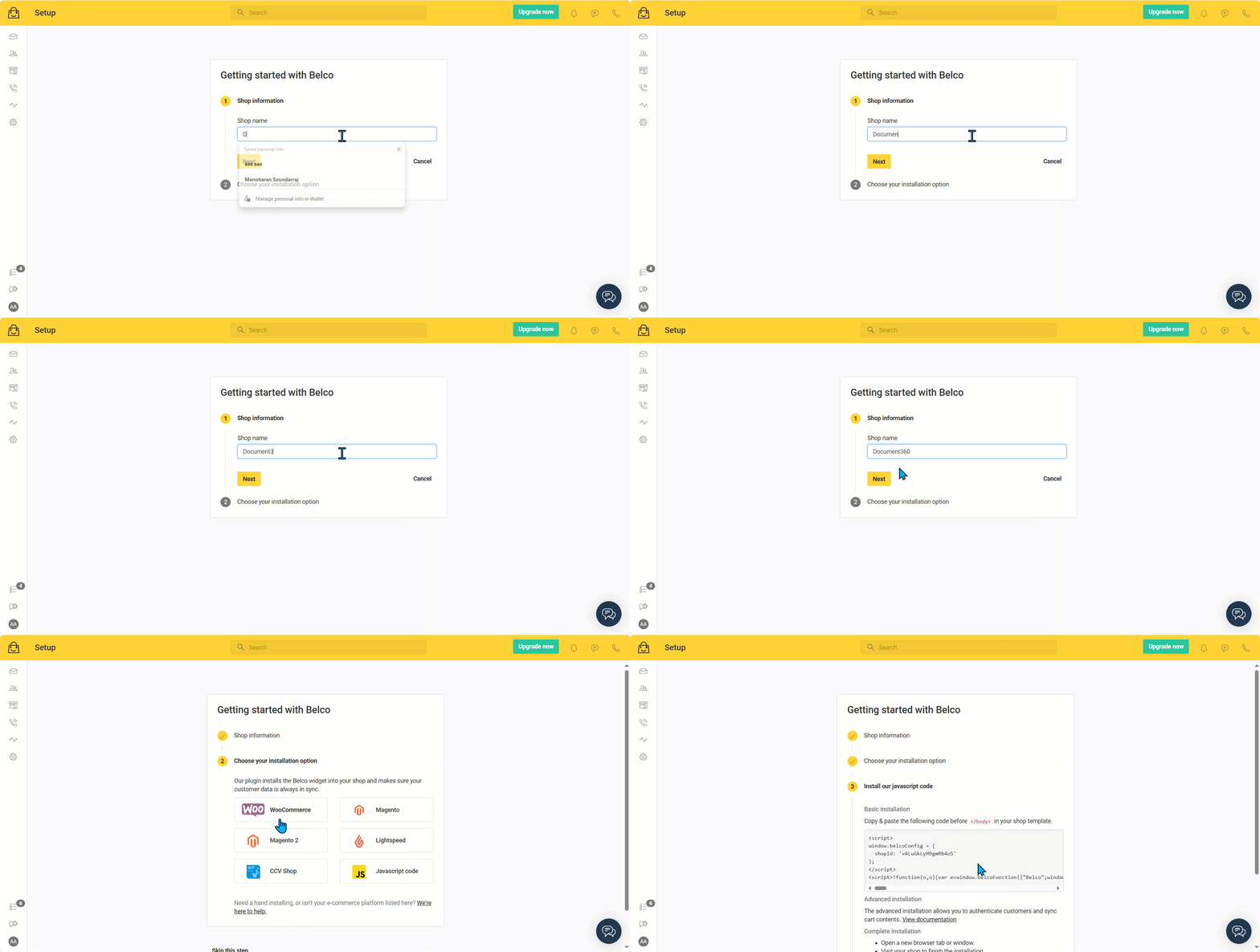
- Log in to your Belco Chat dashboard and click the Setup Guide icon.
- Click Install Our Plugin, enter your shop information, and select JavaScript as the installation option.
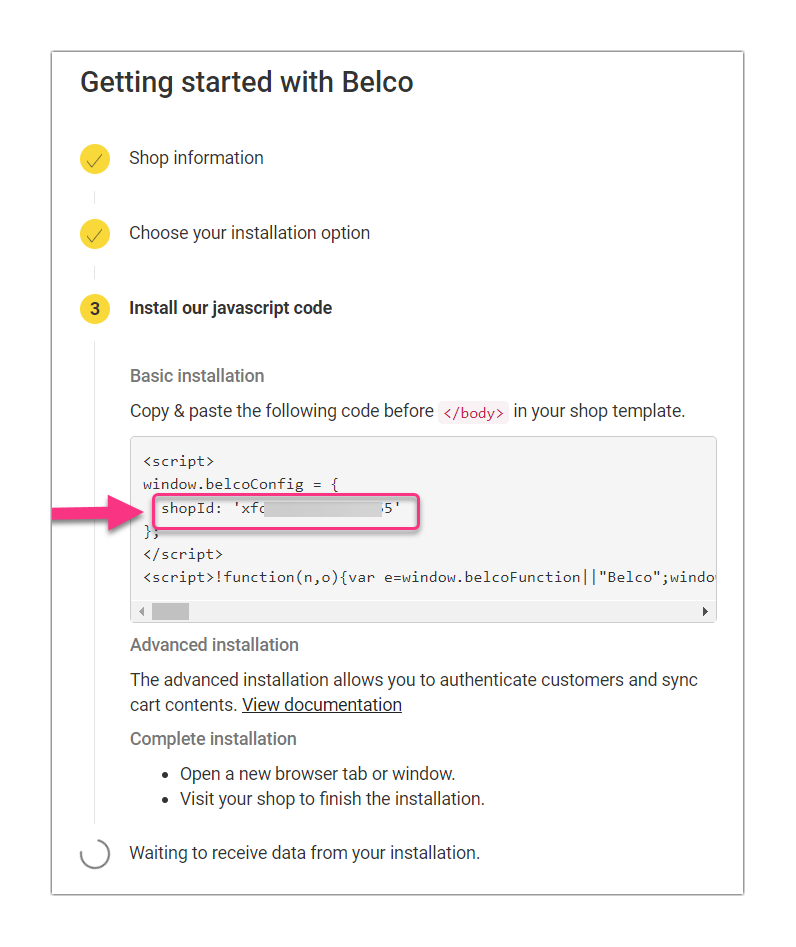
- In the generated JavaScript code, find the Belco Shop ID.
New Belco user
Your Belco Shop ID is provided during the initial account setup. Copy it during the installation process.
Integrate Belco with Document360
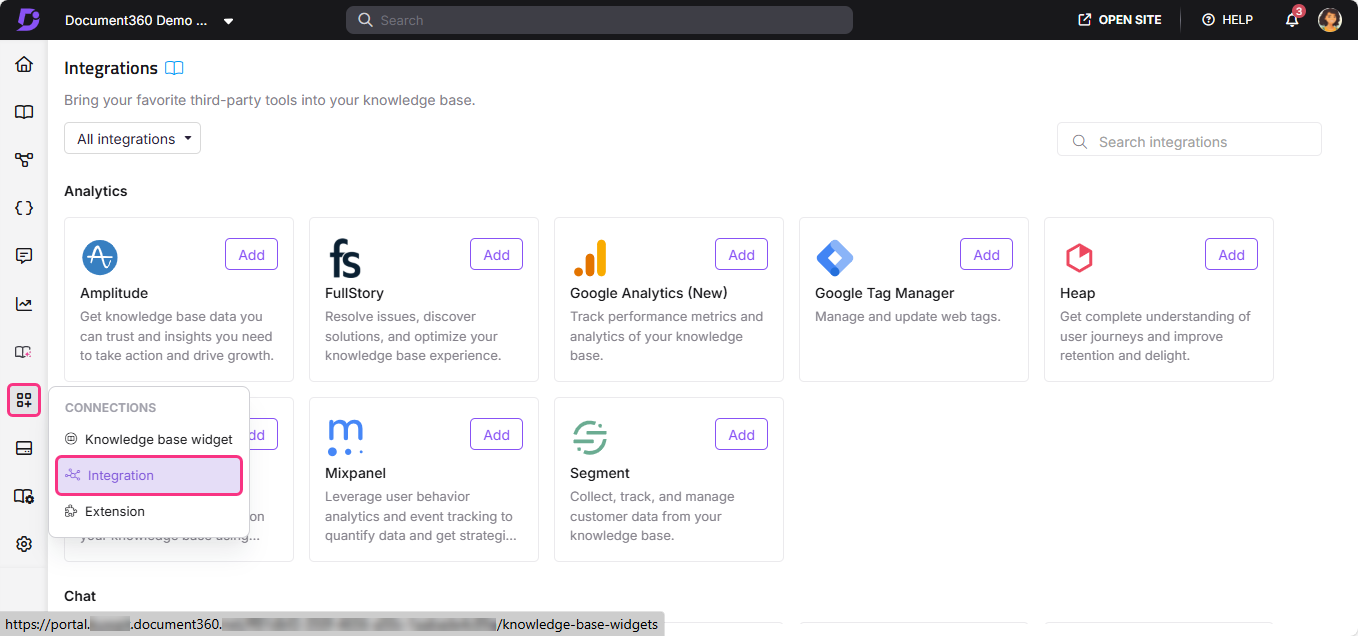
- In the Document360 portal, navigate to Connections () > Integrations () in the left navigation bar.
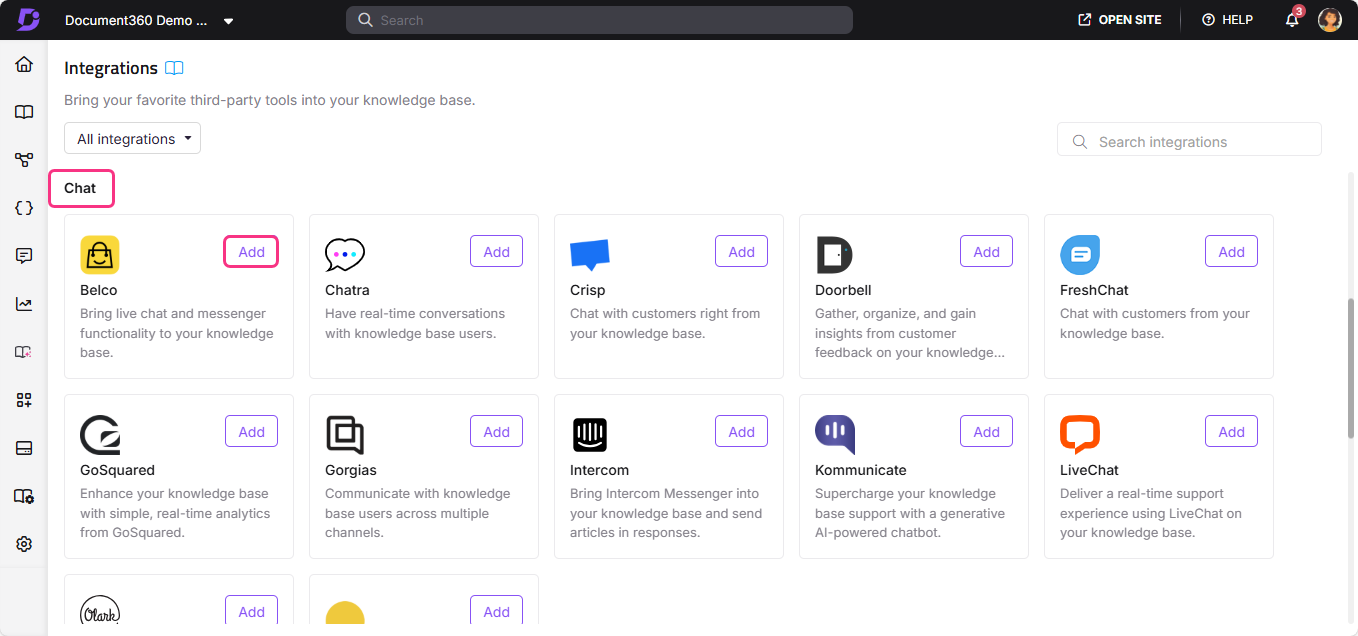
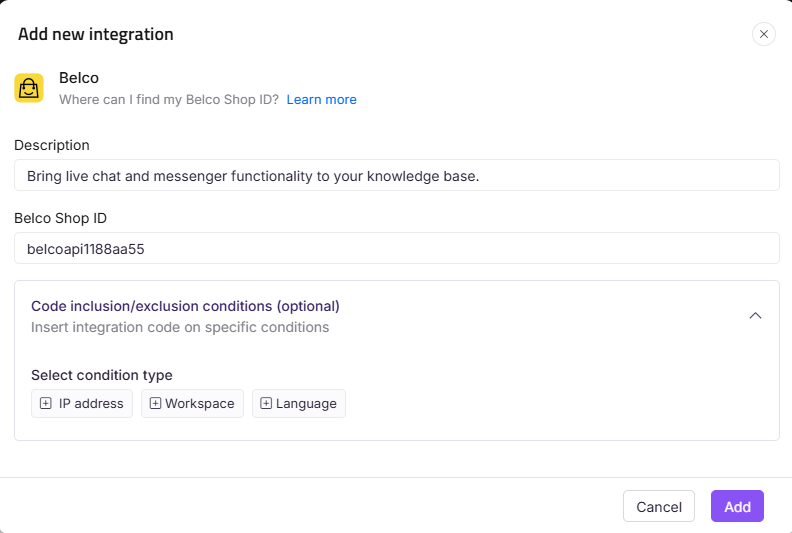
- Select Belco from the list of integrations and click Add. The Add new integration panel appears.
- Add a Description and enter your Belco Shop ID.
The Belco Shop ID is a unique code obtained from the Belco application. It is required to connect Belco and Document360 in the knowledge base portal.
- Optionally, expand Code inclusion/exclusion conditions to control when the integration runs based on IP address, Workspace, or Language.
- Click Add.
After setup, log in to your Belco account to view and respond to chats from your knowledge base visitors.
Best practices
- Use Belco's e-commerce plugin alongside your knowledge base. Belco's powerful e-commerce integration means you can connect customer support data with order and product information, giving your team more context when responding to queries on your knowledge base.
- Use single-agent multi-chat to keep support costs low. One agent can handle multiple Belco conversations simultaneously, so your support team can scale coverage without adding headcount.
- Use Code inclusion/exclusion conditions to control where the widget appears. If the Belco widget should only appear on certain workspaces or for specific languages, configure conditions to limit where the integration runs.
- Monitor chat volume to identify busy periods. Use Belco's chat data to identify when your knowledge base visitors most often need help, and schedule agent coverage accordingly.
FAQ
What is the Belco Shop ID?
The Belco Shop ID is a unique identifier obtained from the Belco application. Existing users can find it in the Belco Chat dashboard by clicking the Setup Guide icon, selecting Install Our Plugin, entering shop information, choosing JavaScript as the installation option, and locating the Shop ID in the generated code. New users receive it during the initial account setup.
Can a single agent handle multiple Belco conversations at once?
Yes. Belco is designed to let a single agent manage multiple customer conversations simultaneously, which helps reduce operational costs while keeping customer satisfaction high.
What makes Belco different from other chat tools?
Belco combines a simple, clean chat interface with a well-structured platform and a powerful e-commerce plugin. This makes it a strong fit for businesses that want to connect customer support with order and product data alongside their knowledge base content.
Can I limit which workspaces or languages the Belco widget appears on?
Yes. When adding or editing the Belco integration, expand Code inclusion/exclusion conditions and add conditions based on IP address, Workspace, or Language. See Code inclusion and exclusion conditions for full details.
What can I do after completing the Belco integration?
After setup, log in to your Belco account to view and respond to chats from your knowledge base visitors. You can also use Belco's e-commerce plugin and chatbot features to provide more contextual and efficient support.